
Rhombus and Rectangle Geometric Construction
Loading the math board and drawing, please wait…
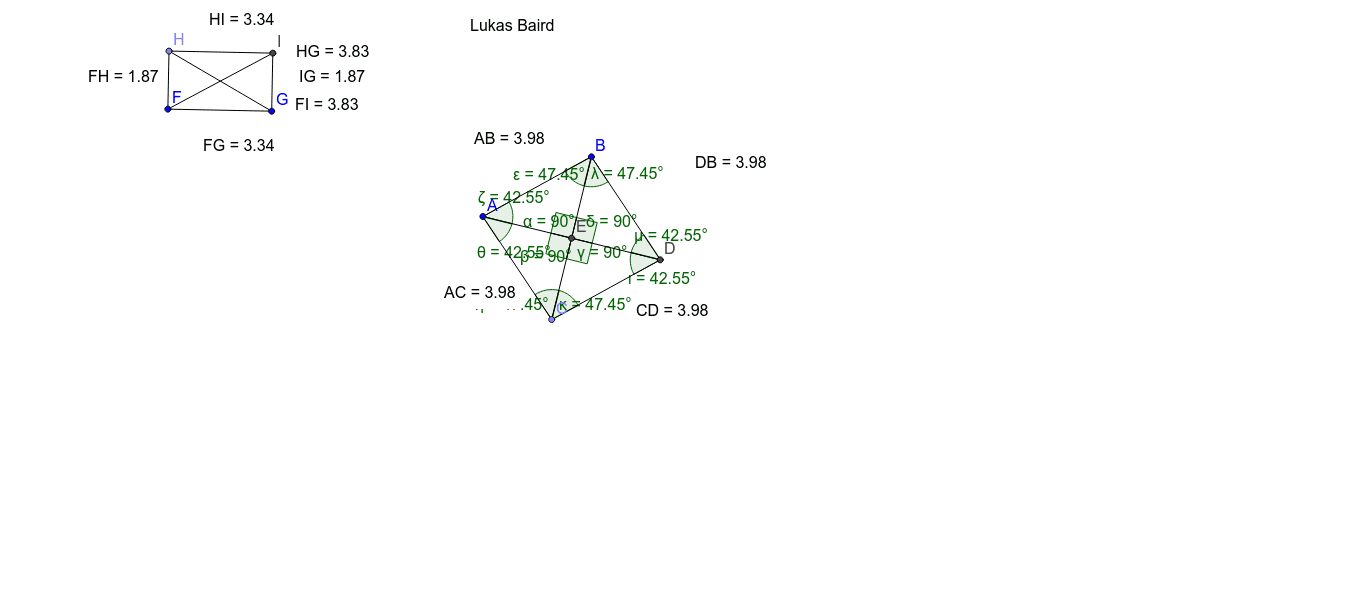
This example demonstrates how to construct a rhombus and rectangle using GeoGebra commands and analyze their geometric properties. Key math concepts include polygons, parallelograms, angles, distances, and orthogonal lines. Construction highlights involve commands like Segment, Circle, Point, Line, Intersect, Distance, Angle, and OrthogonalLine. Suitable for high school mathematics teaching, focusing on geometric construction and property exploration.
GeoGebra Commands & Parameters
Segment(A, B) → aCircle(A, B) → cPoint(c) → CSegment(A, C) → bLine(C, a) → dLine(B, b) → eIntersect(d, e) → DSegment(B, D) → fSegment(C, D) → gSegment(B, C) → hSegment(A, D) → iDistance(A, B) → distanceABDistance(A, C) → distanceACDistance(C, D) → distanceCDDistance(D, B) → distanceDBIntersect(h, i) → EAngle(B, E, A) → αAngle(A, E, C) → βAngle(C, E, D) → γAngle(D, E, B) → δAngle(A, B, E) → εAngle(E, A, B) → ζAngle(E, C, A) → ηAngle(C, A, E) → θAngle(E, D, C) → ιAngle(D, C, E) → κAngle(E, B, D) → λAngle(B, D, E) → μSegment(F, G) → jOrthogonalLine(F, j) → kPoint(k) → HOrthogonalLine(G, j) → lOrthogonalLine(H, k) → mIntersect(l, m) → ISegment(H, F) → nSegment(I, G) → pSegment(H, I) → qSegment(H, G) → rSegment(F, I) → sDistance(H, I) → distanceHIDistance(F, H) → distanceFHDistance(F, G) → distanceFGDistance(I, G) → distanceIGDistance(F, I) → distanceFIDistance(H, G) → distanceHG