
Rhombus and Kite Geometry with Reflection
Loading the math board and drawing, please wait…
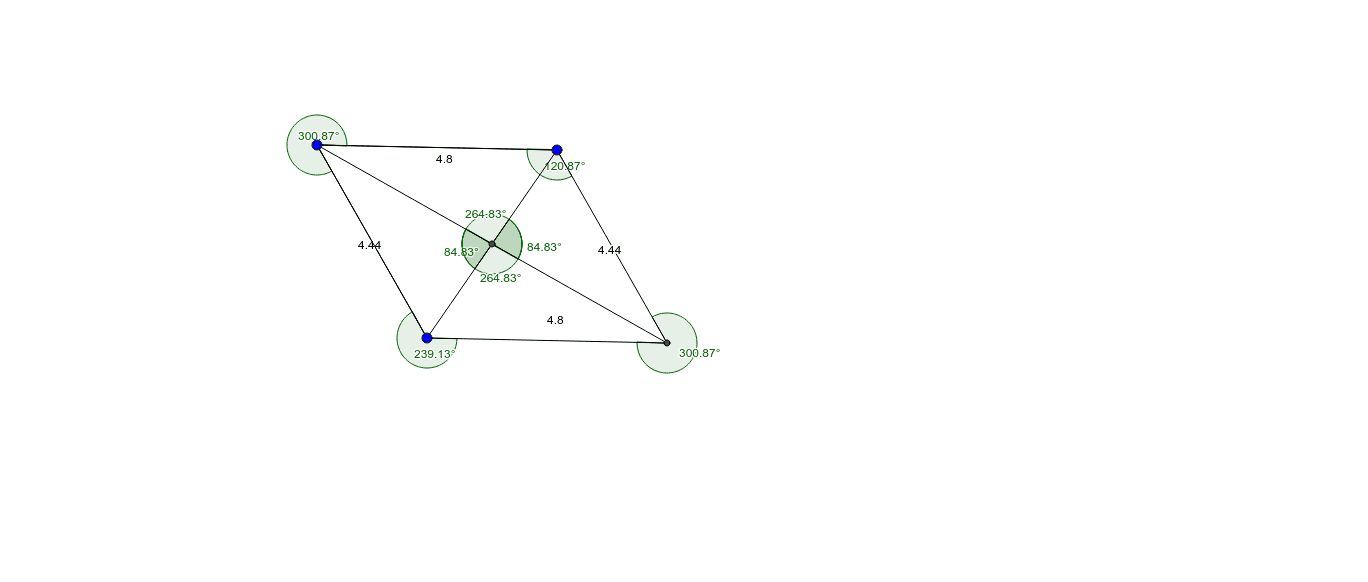
This example demonstrates the geometric properties of rhombi and kites alongside reflection transformations. It covers core concepts in plane geometry, special points, and angle relationships. Constructed using GeoGebra commands like Segment, Line, Intersect, and Angle to define points and angles. Suitable for middle school geometry education or student exploration of symmetry and polygon characteristics.
GeoGebra Commands & Parameters
Segment(A, B) → aSegment(A, C) → bLine(C, a) → cLine(B, b) → dIntersect(c, d) → DSegment(B, D) → eSegment(D, C) → fSegment(C, A) → gSegment(A, B) → hAngle(B, A, C) → αAngle(C, D, B) → βAngle(A, C, D) → γAngle(A, B, D) → δLine(A, D) → iLine(B, C) → jIntersect(i, j) → ESegment(A, E) → kSegment(E, D) → lSegment(B, E) → mSegment(E, C) → nAngle(A, E, B) → εAngle(A, E, C) → ζAngle(D, E, C) → ηAngle(D, E, B) → θ
AI Drawing Prompt Reference
Draw a rhombus and a kite to demonstrate their geometric properties and reflection transformations. Start by constructing the four sides of the rhombus and its diagonals, with their intersection at point D. Then, create the kite with its four sides and label all interior angles. Finally, find the intersection point E of the diagonals and draw line segments from E to each vertex, labeling the new angles.
The prompt above was compiled from the original drawing commands and is for reference only.