
RGB Cube
Loading the math board and drawing, please wait…
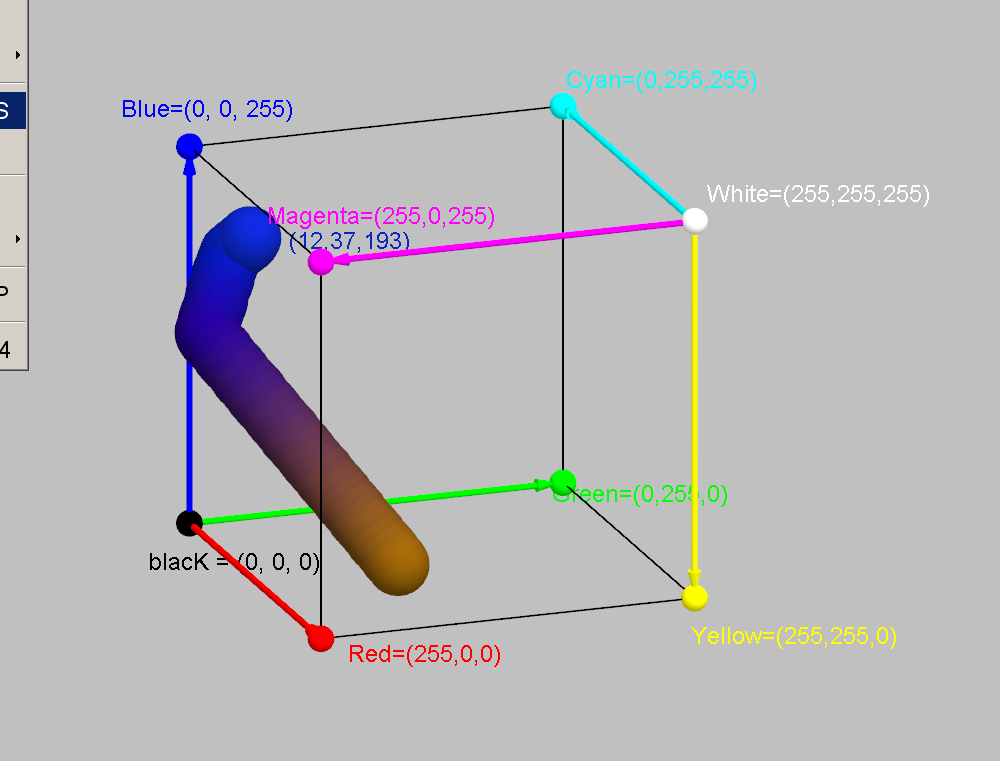
This example demonstrates the construction and visualization of an RGB color cube. It involves core mathematical concepts like solid geometry, vectors, linear equations, and integers. The construction uses commands like Segment, Vector, Sphere, and objects such as r, g, b, black, red, green, blue, etc. It is suitable for high school mathematics and computer graphics education or exploration.
GeoGebra Commands & Parameters
Segment(Red, Yellow) → cSegment(Cyan, Blue) → fSegment(Blue, Magenta) → hSegment(Magenta, Red) → jSegment(Green, Yellow) → kSegment(Cyan, Green) → lVector(White, Cyan) → cyanVector(White, Magenta) → magentaVector(White, Yellow) → yellowVector(blacK, Blue) → blueVector(blacK, Red) → redVector(blacK, Green) → greenSphere(KOLOR, 0.08) → a
AI Drawing Prompt Reference
Draw a 3D cube with edges colored red, yellow, green, blue, cyan, and magenta. From the center of the cube, draw vectors pointing to each vertex, colored red, yellow, green, blue, cyan, and magenta respectively. Also, draw six small spheres centered at the cube's center to highlight the vertex positions.
The prompt above was compiled from the original drawing commands and is for reference only.