
Reuleaux Polygons Path Demo
Loading the math board and drawing, please wait…
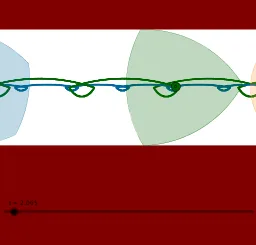
This example demonstrates the construction and dynamic behavior of Reuleaux polygons and their paths. It involves core mathematical concepts such as polygons, complex numbers, circles, integers, and sine functions. Key GeoGebra commands used include Mod, Vector, Rotate, If, Translate, AngularBisector, Circle, Intersect, Segment, Distance, Line, Mirror, Point, and Polygon. Suitable for high school and above students to understand the geometric properties and path generation of Reuleaux polygons.
GeoGebra Commands & Parameters
Mod(t, 0.62832) → tmMod(t, 1.0472) → tmod1Mod(t, 2.0944) → tmod2Mod(t, 0.62832) → tmod3Mod(t, 1.25664) → tmod4Vector((0, 0), (-12.56637, 0)) → uRotate(A1, (-tmod1), A2) → B1Rotate(A2, (-tmod1), A1) → B2Rotate(A3, (-tmod1), A1) → B3Rotate(A4, (-tmod1), A2) → B4If(flag1, CircleArc[A1, B2, B3], CircleArc[A2, B1, B4]) → C1If(flag1, CircleArc[B3, A1, B2], CircleArc[B4, A2, B1]) → C2If(flag1, CircleArc[B2, B3, A1], CircleArc[B1, B4, A2]) → C3If(flag1, Polygon[A1, B2, B3], Polygon[A2, B1, B4]) → C4Translate(C1, u) → D1Translate(C2, u) → D2Translate(C3, u) → D3Translate(C4, u) → D4AngularBisector(B1, A2, B4) → eAngularBisector(A2, B4, B1) → fAngularBisector(B3, B2, A1) → gAngularBisector(B2, A1, B3) → hIf(flag1, Intersect[g, h], Intersect[e, f]) → ATranslate(A, u) → A'Circle(C, radius) → cTranslate(C, u) → C'Translate(c, u) → c'Intersect(c, xAxis, 2) → FRotate(F, (-t), C) → F'Rotate(F, π - t, C) → F_1'Segment(F_1', F') → dTranslate(F_1', u) → GTranslate(F', u) → F''Segment(G, F'') → d'Distance(A8, A7) → di1Rotate(A7, -1.8849555921538759, A8) → A9Rotate(A8, -1.88495559215388, A9) → A10Rotate(A9, -1.88495559215388, A10) → A11Line(A11, A9) → lMirror(A10, l) → A12Mirror(A7, l) → A13Mirror(A8, l) → A14Rotate(A7, (-tm), $A$9) → B7Rotate(A8, (-tm), $A$9) → B8Rotate(A10, (-tm), $A$9) → B10Rotate(A11, (-tm), $A$9) → B11Rotate(A9, (-tm), $A$11) → C9Rotate(A12, (-tm), $A$11) → C12Rotate(A13, (-tm), $A$11) → C13Rotate(A14, (-tm), $A$11) → C14If(flag2, CircleArc[A9, B11, B7], CircleArc[A11, C9, C14]) → D7If(flag2, CircleArc[B8, B10, B11], CircleArc[C13, C12, C9]) → D8If(flag2, CircleArc[B7, A9, B10], CircleArc[C14, A11, C12]) → D9If(flag2, CircleArc[B11, B8, A9], CircleArc[C9, C13, A11]) → D10If(flag2, CircleArc[B10, B7, B8], CircleArc[C12, C14, C13]) → D11If(flag2, Polygon[B10, B11, 5], Polygon[C14, C13, 5]) → D12Translate(D7, u) → E7Translate(D8, u) → E8Translate(D9, u) → E9Translate(D10, u) → E10Translate(D11, u) → E11Translate(D12, u) → E12AngularBisector(C13, C14, C9) → mAngularBisector(C14, C9, C12) → nAngularBisector(B8, B7, B11) → pAngularBisector(B7, B11, B10) → qIf(flag2, Intersect[p, q], Intersect[m, n]) → BPoint(b) → DPoint(b) → EPolygon(D, E, 4) → poly1, i, j, k, r, H, IPoint(a) → JPoint(a) → KPolygon(J, K, 4) → poly2, s, a_1, b_1, c_1, L, MTranslate(B, u) → B'
AI Drawing Prompt Reference
Draw a dynamic Reuleaux polygon path demonstration, showing the construction and movement轨迹 of the polygons, involving multiple arcs and line segments, generating complex geometric patterns through rotation and mirror operations, and labeling the positions of key points and paths, reflecting the application of trigonometric functions and complex numbers in geometric construction.
The prompt above was compiled from the original drawing commands and is for reference only.