
Representing Large Numbers on a Number Line with Clear Labeling
Loading the math board and drawing, please wait…
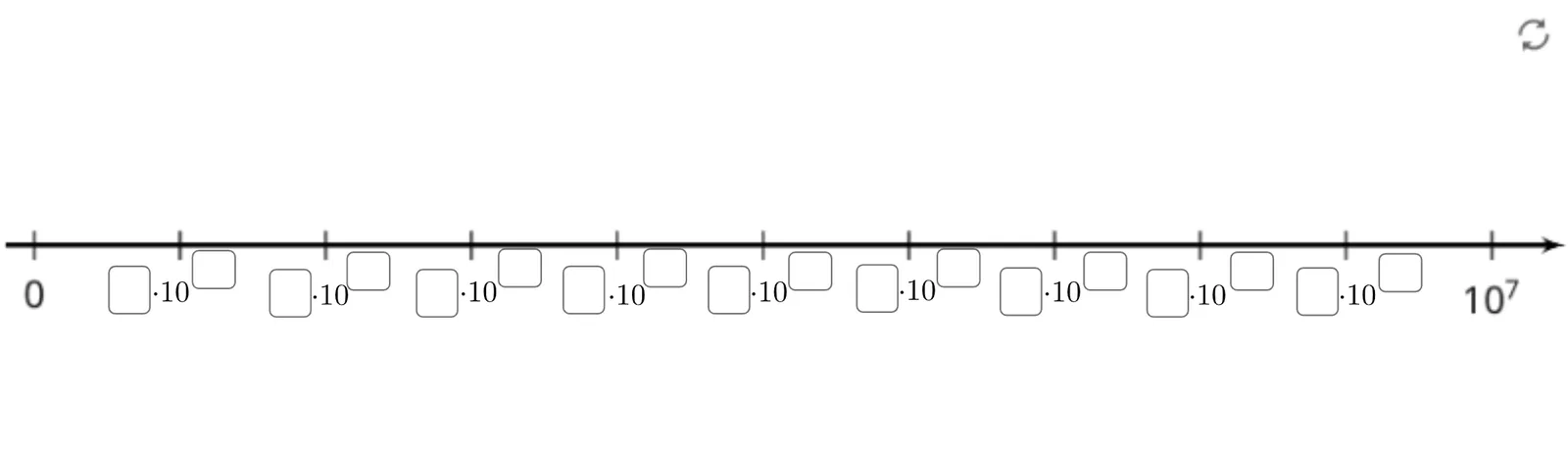
This example demonstrates how to represent and label very large integers on a number line so that the scale and readings remain readable. The key mathematics concepts are number-line ordering and tick representation, the idea of place value and grouping for large numbers, and building a clear one-to-one correspondence between numbers and their positions using systematic annotations. Construction highlights from the GeoGebra summary: the model is driven mainly by Textfield for text input/display, along with multiple objects such as A, B, pic1, text1–text9, and a set of InputBox1–InputBox18 to parameterize and update the labels. Learners can modify inputs and immediately see how the annotated numbers align with the intended positions on the number line. Suitable for middle school through early high school, and useful for classroom demonstrations, number-sense practice, and interactive formative assessment.
GeoGebra Commands & Parameters
Textfield() → InputBox1Textfield() → InputBox2Textfield() → InputBox3Textfield() → InputBox4Textfield() → InputBox5Textfield() → InputBox6Textfield() → InputBox7Textfield() → InputBox8Textfield() → InputBox9Textfield() → InputBox10Textfield() → InputBox11Textfield() → InputBox12Textfield() → InputBox13Textfield() → InputBox14Textfield() → InputBox15Textfield() → InputBox16Textfield() → InputBox17Textfield() → InputBox18
AI Drawing Prompt Reference
Draw a number line with multiple text boxes for displaying numbers and labels, and multiple input boxes for entering values. The number line should clearly label large integers, with text boxes corresponding to input boxes. After entering values, the text boxes update to show the numbers. The construction order is to create input boxes first, then text boxes, and finally link them to enable dynamic updates.
The prompt above was compiled from the original drawing commands and is for reference only.