
Relative Frequency Distributions
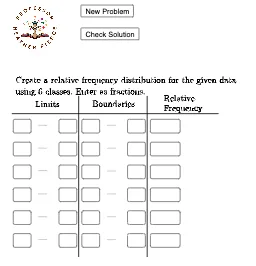
Loading the math board and drawing, please wait…
This example demonstrates how to create relative frequency distributions using GeoGebra, involving core math concepts like frequency distribution, statistics, line segments, logarithms, parabolas, and interest calculations. Key GeoGebra commands and objects used include Random, Min, Max, Textfield, and Segment for constructing the diagram. Suitable for high school students and educators.
GeoGebra Commands & Parameters
Random(50, 99) → A1Random(50, 99) → B1Random(50, 99) → C1Random(50, 99) → C2Random(50, 99) → B2Random(50, 99) → A2Random(50, 99) → A3Random(50, 99) → B3Random(50, 99) → C3Random(50, 99) → C4Random(50, 99) → B4Random(50, 99) → A4Random(50, 99) → A5Random(50, 99) → B5Random(50, 99) → C5Random(50, 99) → C6Random(50, 99) → B6Random(50, 99) → A6Random(50, 99) → A7Random(50, 99) → B7Random(50, 99) → C7Random(50, 99) → C8Random(50, 99) → B8Random(50, 99) → A8Random(50, 99) → A9Random(50, 99) → B9Random(50, 99) → C9Random(50, 99) → C10Random(50, 99) → B10Random(50, 99) → A10Random(50, 99) → A11Random(50, 99) → B11Random(50, 99) → C11Random(50, 99) → C12Random(50, 99) → B12Random(50, 99) → A12Random(50, 99) → A13Random(50, 99) → B13Random(50, 99) → C13Random(50, 99) → C14Random(50, 99) → B14Random(50, 99) → A14Random(50, 99) → A15Random(50, 99) → B15Random(50, 99) → C15Min(Data) → minMax(Data) → maxTextfield(lower1) → InputBox1Textfield(lower2) → InputBox2Textfield(lower3) → InputBox3Textfield(lower4) → InputBox4Textfield(lower5) → InputBox5Textfield(lower6) → InputBox6Textfield(upper1) → InputBox7Textfield(upper2) → InputBox8Textfield(upper3) → InputBox9Textfield(upper4) → InputBox10Textfield(upper5) → InputBox11Textfield(upper6) → InputBox12Segment(A, B) → fSegment(C, D) → gTextfield(lboundary1) → InputBox13Textfield(lboundary2) → InputBox14Textfield(lboundary3) → InputBox15Textfield(lboundary4) → InputBox16Textfield(lboundary5) → InputBox17Textfield(lboundary6) → InputBox18Textfield(uboundary1) → InputBox19Textfield(uboundary2) → InputBox20Textfield(uboundary3) → InputBox21Segment(E, F) → hTextfield(frequency1) → InputBox25Textfield(frequency2) → InputBox26Textfield(frequency3) → InputBox27Textfield(frequency4) → InputBox28Textfield(frequency5) → InputBox29Textfield(frequency6) → InputBox30Textfield(uboundary4) → InputBox22Textfield(uboundary5) → InputBox23Textfield(uboundary6) → InputBox24