
Relationship of Angles and Sides in a Trapezoid
Loading the math board and drawing, please wait…
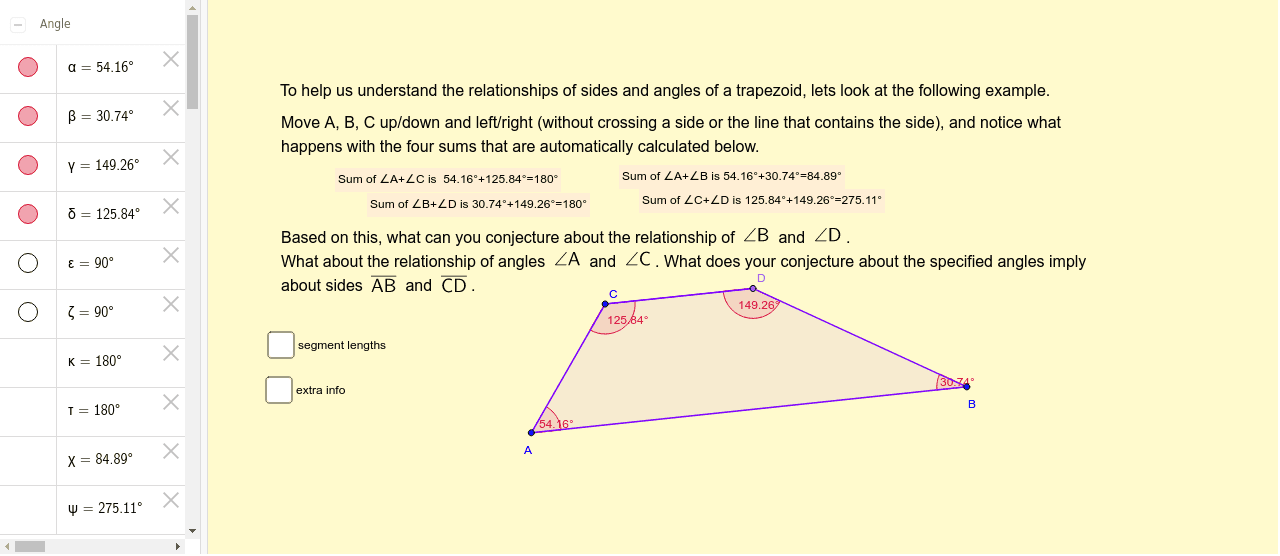
This example uses GeoGebra to demonstrate the relationship between angles and sides in a trapezoid. Key mathematical concepts include the properties of trapezoids, the relationship between angles and side lengths. Using commands like Segment, Line, Point, Polygon, Angle, etc., the dynamic changes in the elements of a trapezoid can be observed. Suitable for middle school and above students or teachers.
GeoGebra Commands & Parameters
Segment(A, B) → aLine(C, a) → bPoint(b) → DSegment(C, D) → cPolygon(A, B, D, C) → poly1, a_1, b_1, d, c_1Angle(poly1) → α, β, γ, δSegment(A, C) → eSegment(C, D) → fSegment(D, B) → gOrthogonalLine(C, a_1) → iOrthogonalLine(D, a_1) → jOrthogonalLine(A, i) → kIntersect(i, k) → ESegment(E, C) → lIntersect(j, k) → FSegment(F, D) → mAngle(a_1, l) → εAngle(a_1, m) → ζArea(poly1) → oPointIn(poly1) → Pointpoly1_1PointIn(poly1) → Pointpoly1
AI Drawing Prompt Reference
Draw a trapezoid ABCD with AB and CD as the parallel bases, then draw the height of the trapezoid and observe the angles and area. First, draw the base AB, then draw a line b through point C and parallel to AB, next take point D on line b, and connect CD to form trapezoid ABCD. Then, draw the diagonals AC and BD, and finally draw the height of the trapezoid to observe the angles and area.
The prompt above was compiled from the original drawing commands and is for reference only.