
Regular Tetrahedron by jgrzyw
Loading the math board and drawing, please wait…
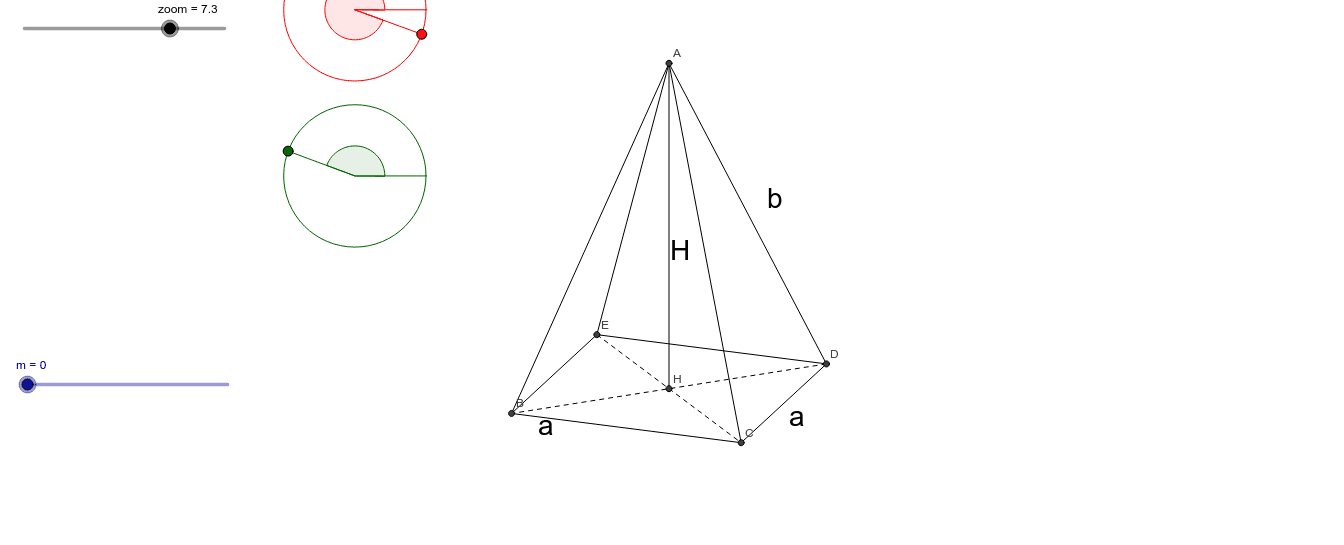
This example demonstrates a regular tetrahedron. Key mathematical concepts include polyhedra in solid geometry, vertices, edges, and faces. Using GeoGebra commands such as Invert, Element, Circle, etc., a geometric model of the regular tetrahedron can be constructed. Suitable for high school or university-level solid geometry studies.
GeoGebra Commands & Parameters
Invert(T) → T'Element(Join[B1], 3) → E1Element(Join[B1], 2) → D1Element(Join[B1], 1) → C1Circle(C, D) → dPoint(d) → FAngle(D, C, F) → βCircle(A, B) → cPoint(c) → EAngle(B, A, E) → αSegment(A, B) → aSegment(A, E) → bSegment(C, D) → eSegment(C, F) → fElement(Join[B2], 1) → C2Element(Join[B2], 2) → D2Element(Join[B2], 3) → E2Element(Join[B3], 1) → C3Element(Join[B3], 2) → D3Element(Join[B3], 3) → E3Element(Join[B4], 1) → C4Element(Join[B4], 2) → D4Element(Join[B4], 3) → E4Element(Join[B5], 1) → C5Element(Join[B5], 2) → D5Element(Join[B5], 3) → E5If(m ≟ 0, G + C1 * u + D1 * v + E1 * w) → F1Segment(F4, F5) → gSegment(F5, F2) → hSegment(F2, F3) → iSegment(F3, F4) → jSegment(F4, F1) → kSegment(F1, F5) → lSegment(F1, F2) → nSegment(F1, F3) → pElement(Join[B6], 1) → C6Element(Join[B6], 2) → D6Element(Join[B6], 3) → E6If(m > 0, G + C6 * u + D6 * v + E6 * w) → F6Segment(F2, F6) → qSegment(F5, F6) → rInvert(M_1) → M'_1Invert(M_2) → M'_2Invert(M_3) → M'_3Element(Join[B7], 1) → C7Element(Join[B7], 2) → D7Element(Join[B7], 3) → E7If(m > 0, G + C7 * u + D7 * v + E7 * w) → F7Segment(F2, F7) → sSegment(F7, F6) → tInvert(N_3) → N'_3Element(Join[B8], 1) → C8Element(Join[B8], 2) → D8Element(Join[B8], 3) → E8If(m > 0, G + C8 * u + D8 * v + E8 * w) → F8Segment(F7, F8) → a_1Segment(F6, F8) → b_1Invert(O_3) → O'_3Element(Join[B9], 1) → C9Element(Join[B9], 2) → D9Element(Join[B9], 3) → E9If(m > 0, G + C9 * u + D9 * v + E9 * w) → F9Segment(F9, F5) → c_1Segment(F9, F6) → d_1Segment(F5, F3) → e_1Segment(F4, F2) → f_1Intersect(e_1, f_1) → HSegment(F1, H) → g_1
AI Drawing Prompt Reference
Draw a regular tetrahedron with four vertices A, B, C, and D, six edges AB, AC, AD, BC, BD, and CD, and four faces ABC, ABD, ACD, and BCD. Start by positioning the vertices, then connect them to form the edges and faces.
The prompt above was compiled from the original drawing commands and is for reference only.