
Regular Pyramid Surface Area and Volume
Loading the math board and drawing, please wait…
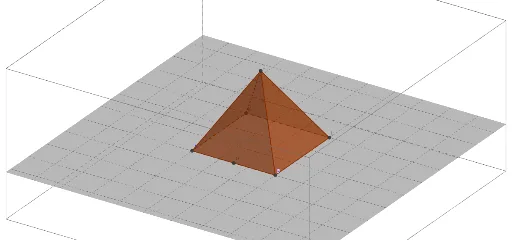
① This GeoGebra example dynamically illustrates the surface area and volume of a regular pyramid, allowing users to adjust the number of base sides, side length, and height to see real-time changes in the 3D solid and its net. ② Core mathematical concepts include the formulas for surface area (base area plus lateral area) and volume (V = 1/3 × base area × height), properties of regular polygons, and spatial relationships among vertices, edges, and faces. ③ Construction uses GeoGebra commands such as Point, Segment, Polygon, Pyramid, Net, Volume, Midpoint, and Perimeter, with objects including n (number of sides), s (side length), h (height), vertices A, B, and side faces (faceABD, faceBCD, etc.). ④ Suitable for middle and high school geometry, this interactive tool helps students visualize and understand measurement formulas, and explore how changing the base shape affects surface area and volume.
GeoGebra Commands & Parameters
Point(Circle[A, s]) → BSegment(A, B) → fPolygon(A, B, n) → poly1, g, t, C, K, N, Q, T, W, B_1, E_1, i, j, k, l, m, p, q, rPyramid(poly1, h) → a, D, face11, face13, edgeAD, edgeBD, edgeCD, edge1, edge5, edge9, edge13, edge17, faceABD, edge21, edge25, faceBCD, faceACD, face1, face3, face5, face7, face9Net(a, net) → c, E, F_1, H, I, J, M, P, S, V, A_1, D_1, F, G_1, faceEFG, faceEFH, faceFGI, faceEGJ, face2, face4, face6, face8, face10, G, face12, face14, edgeEF, edgeFG, edgeEG, edge2, edge6, edge10, edge14, edge18, L, edge22, edge26, edgeEH, edgeFH, edgeFI, edgeGI, edgeGJ, edgeEJ, edge3, edge4, O, edge7, edge8, edge11, edge12, edge15, edge16, edge19, edge20, edge23, edge24, R, edge27, edge28, U, Z, C_1Volume(a) → volMidpoint(A, B) → H_1Segment(H_1, D) → slantHeightPerimeter(poly1) → perimBase