
Regular Polygons (with Limits)
Loading the math board and drawing, please wait…
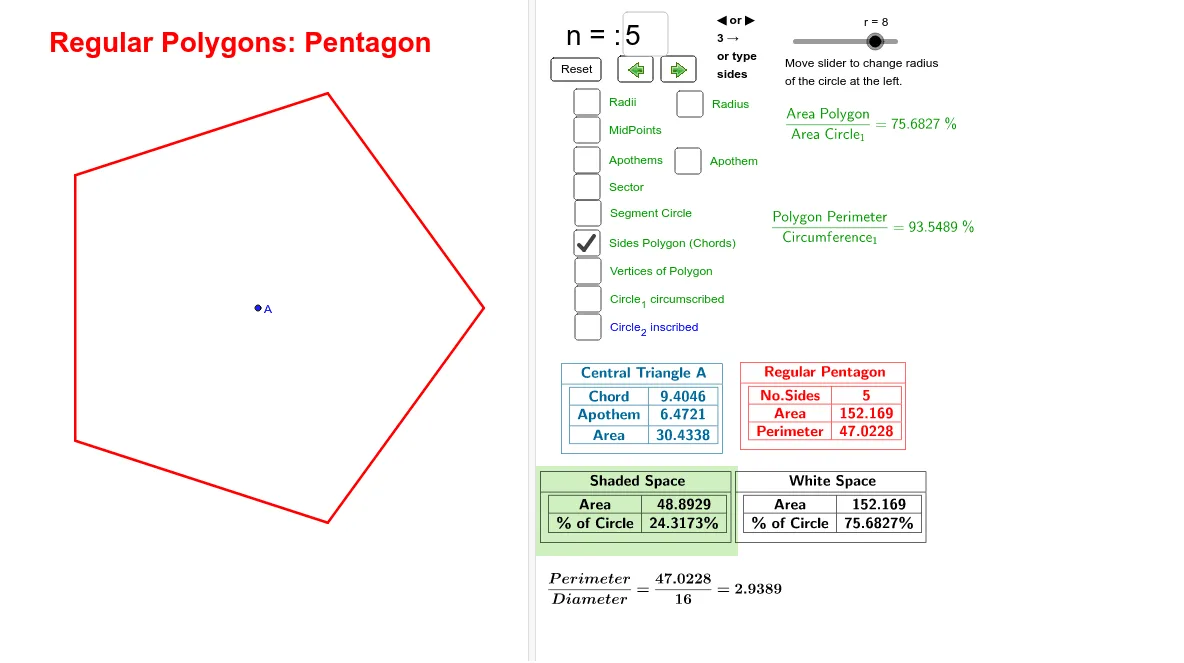
This example demonstrates the construction of regular polygons and their relationship with circles. Key concepts include regular polygons, limits, and pi. Using GeoGebra commands like Sequence, Element, and Circle, the example dynamically shows the side lengths, angles, and radii of regular polygons. Suitable for high school math education, helping students understand the geometric relationship between regular polygons and circles.
GeoGebra Commands & Parameters
Sequence(Rotate[A + (r, 0), ((k * 2) * π / n), A], k, 0, n) → pointList1Sequence(Segment[Element[pointList1, k], Element[pointList1, k + 1]], k, 1, n) → segListSequence(Midpoint[Element[segList, k]], k, 1, n) → midPtListSequence(Segment[A, Element[midPtList, k]], k, 1, n) → apothemListElement(apothemList, 1) → radius_2Circle(A, radius_2) → circle_2Circumference(circle_2) → circum_2Segment(A, A + (r, 0)) → radius_1Sequence(Rotate[radius_1, (360° * k / n), A], k, 1, n) → radiiListCircle(A, r) → circle_1Sequence(Sector[circle_1, Element[pointList1, k], Element[pointList1, k + 1]], k, 1, n) → sectorListSequence(((Element[segList, k] * Element[apothemList, k])) / 2, k, 1, n) → apothAreaSequence(Element[sectorList, k] - Element[apothArea, k], k, 1, n) → segmentAreaSum(segmentArea, n) → valueSegAreaTotalSum(apothArea, n) → areaPolygonSequence(Arc[circle_1, Element[pointList1, k], Element[pointList1, k + 1]], k, 1, n) → arclistArea(circle_1) → areaCircle_1Circumference(circle_1) → circum_1If(n < 13, Element[polyList, n - 2], n + Element[polyList, 11]) → showPolyNameTextfield(n) → inputBox1Area(circle_2) → areaCircle_2TableText({{"Regular " + showPolyName, TableText[{{"No.Sides", n}, {"Area", areaPolygon}, {"Perimeter", perimeterPoly}}, "c|111_"]}}, "vc_|11") → polyTextTableText({{"Circle_1 A circumscribed", TableText[{{"Radius", r}, {"Area", areaCircle_1}, {"Circumference", circum_1}}, "c|111_"]}}, "vc_|11") → circle_1TextTableText({{"Shaded Space", TableText[{{"Area", valueSegAreaTotal}, {"% of Circle", (ratioCircleSegment2Circle * 100) + "\%"}}, "c|11_"]}}, "vc_|11|") → shadeTextTableText({{"White Space", TableText[{{"Area", areaPolygon}, {"% of Circle", (100 * ratioPolyArea2Circle_1) + "\%"}}, "c|11_"]}}, "vc_|11|") → whiteTextTableText({{"Circle_2 A circumscribed", TableText[{{"Radius", radius_2}, {"Area", areaCircle_2}, {"Circumference", circum_2}}, "c|111_"]}}, "vc_|11") → circle_2TextFirst(radiiList) → radius_fFirst(apothemList) → apothem_fTableText({{"Central Triangle A", TableText[{{"Chord", Element[segList, 1]}, {"Apothem", Element[apothemList, 1]}, {"Area", Element[apothArea, 1]}}, "c|111_"]}}, "vc_|11") → trianText
AI Drawing Prompt Reference
Draw a regular polygon with the number of sides specified in the input box, along with its circumscribed and inscribed circles. Show the side length, angles, and radius of the regular polygon, and their relationships with the circumscribed and inscribed circles. Calculate and display the area, perimeter, and the areas and circumferences of the circumscribed and inscribed circles.
The prompt above was compiled from the original drawing commands and is for reference only.