
Reflection Triangle: Reflecting a Point Across Triangle Sides
Loading the math board and drawing, please wait…
In collections
Reflections in Triangle Geometry
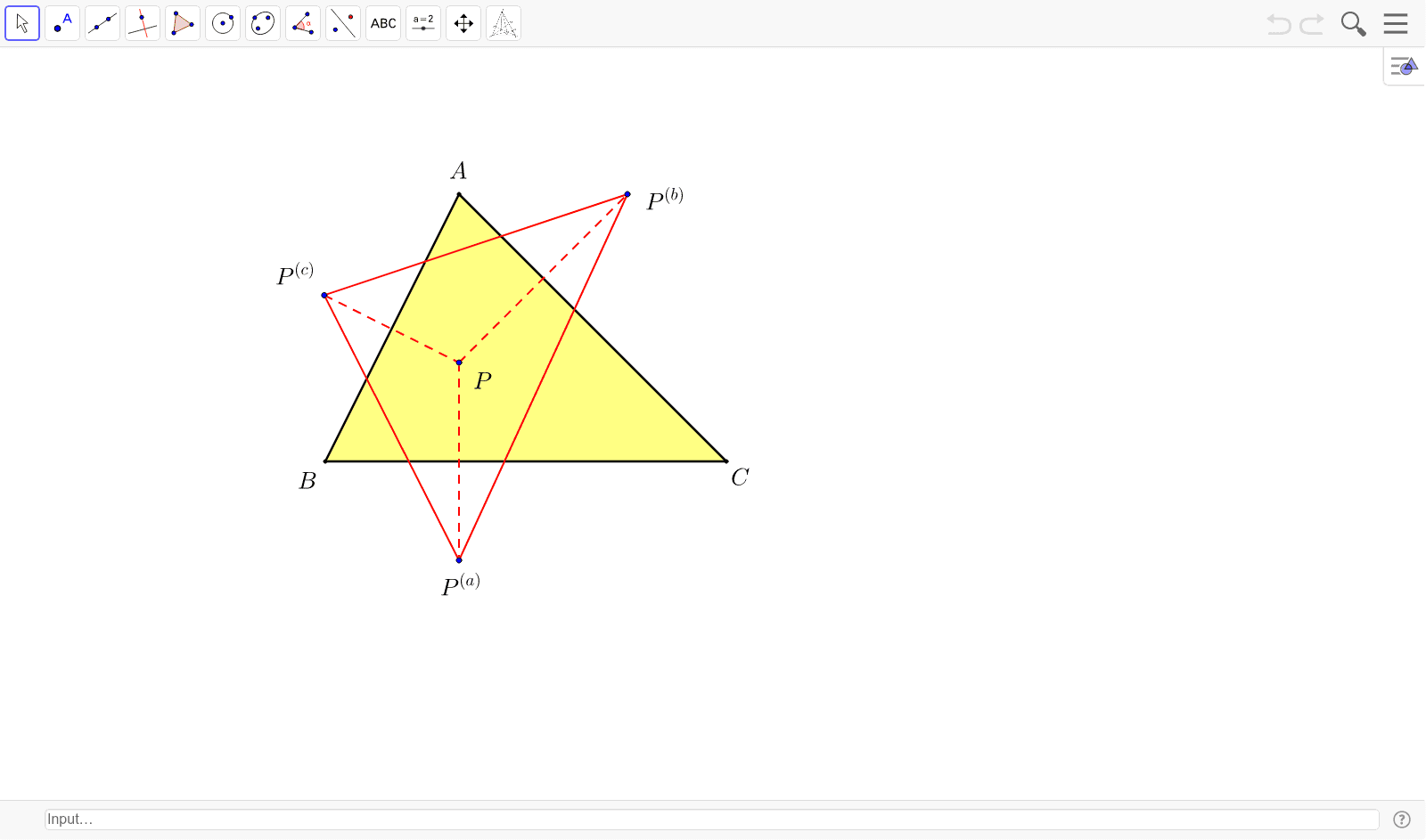
① This example demonstrates how to reflect a free point P across each side of a given triangle ABC, producing three reflected points that form the vertices of a 'reflection triangle'. ② The core mathematical concept is axial symmetry (mirror reflection), where each reflected point is the mirror image of P with respect to the line containing a side; it also involves triangle geometry, polygon construction, and area relationships. ③ Construction highlights: using GeoGebra commands Polygon to create triangle ABC, Segment to draw its sides, and Mirror to reflect point P across each side, yielding three reflected points (P', P'_1, P'_2); these are then connected to form the reflection triangle, with text objects displaying labels or measurements. ④ Suitable for middle and high school geometry classes, this interactive example helps students visualize reflection transformations, explore symmetry properties, and observe how the reflection triangle changes as P is dragged dynamically, making it ideal for hands-on exploration of geometric transformations and area comparisons.
GeoGebra Commands & Parameters
Polygon(A, B, C) → poly1, c, a, bMirror(P, b) → P'Mirror(P, c) → P'_1Mirror(P, a) → P'_2Segment(P'_1, P'_2) → dSegment(P'_2, P') → eSegment(P', P'_1) → fSegment(P, P') → gSegment(P'_1, P) → hSegment(P, P'_2) → i
AI Drawing Prompt Reference
Draw a triangle and place a point inside it. Reflect this point across each side of the triangle to get three new points. Connect these three reflected points to form a new triangle. Also, draw lines from the original point to each reflected point, and display all points, segments, and triangles to observe mirror reflections and symmetry.
The prompt above was compiled from the original drawing commands and is for reference only.