
Reflection Activity on x- and y-axis
Loading the math board and drawing, please wait…
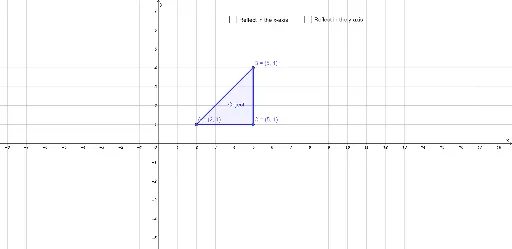
This example demonstrates how to perform reflections across the x- and y-axes using GeoGebra. Key mathematical concepts include reflection and geometric transformations. The construction involves using the Polygon and Mirror commands to create reflected images. Suitable for middle school and above students to learn geometric transformations.
GeoGebra Commands & Parameters
Polygon(A, B, C) → Object, c, a, bMirror(A, yAxis) → A'Mirror(B, yAxis) → B'Mirror(C, yAxis) → C'Polygon(A', B', C') → Image, c', a', b'Mirror(A, xAxis) → A'_1Mirror(B, xAxis) → B'_1Mirror(C, xAxis) → C'_1Polygon(A'_1, B'_1, C'_1) → Image_1, c'_1, a'_1, b'_1
AI Drawing Prompt Reference
Draw a triangle ABC, then reflect it across both the x-axis and y-axis. First, use the polygon tool to draw triangle ABC. Next, reflect points A, B, and C across the y-axis to get A', B', and C', and then use the polygon tool to draw triangle A'B'C'. Finally, reflect points A, B, and C across the x-axis to get A'_1, B'_1, and C'_1, and use the polygon tool to draw triangle A'_1B'_1C'_1.
The prompt above was compiled from the original drawing commands and is for reference only.