
Reflected Beam on Ellipse
Loading the math board and drawing, please wait…
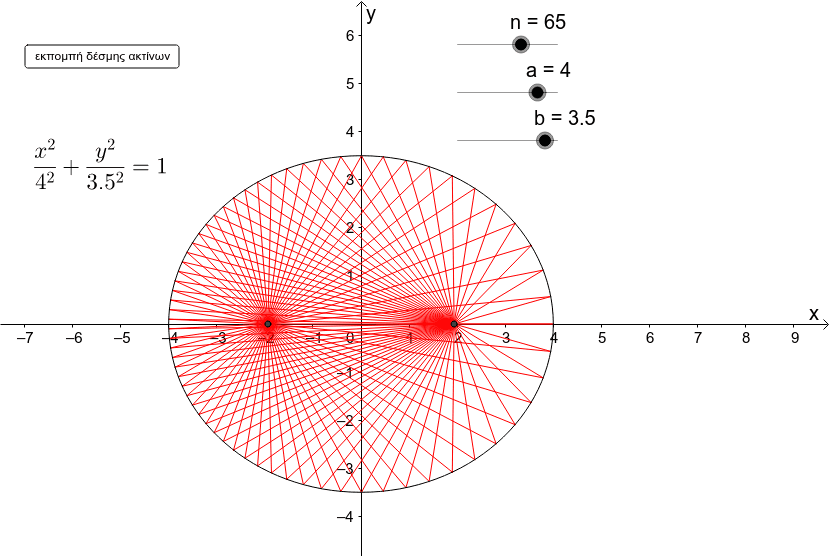
This example demonstrates a beam of light emitted from an ellipse's focus and reflecting back onto the ellipse, involving concepts like ellipse, reflection laws, power functions, hypergeometric distribution, logic, sine functions, and inequalities. It uses GeoGebra commands like Sequence and objects such as sliders and lists for construction. Suitable for high school and above students to explore geometric properties and optical applications of ellipses.
GeoGebra Commands & Parameters
Sequence(Length[Segment[E', Intersect[c, Segment[E', E' + (2 * a; i * 2 * π / n)]]]] / (2 * a), i, 0, n - 1) → list2Sequence(E' + (2 * a; i * 2 * π / n), i, 0, n - 1) → list3Sequence(LineBisector[Segment[E, Element[list3, i]]], i, 1, n) → list4Sequence(Segment[Intersect[c, Segment[E', E' + (2 * a; i * 2 * π / n)]], E' + (2 * a * Max[e, Element[list2, i + 1]]; i * 2 * π / n)], i, 0, n - 1) → list5Sequence(Segment[E', E' + (2 * a * Min[e, Element[list2, i + 1]]; i * 2 * π / n)], i, 0, n - 1) → list1Sequence(Mirror[Element[list5, i], Element[list4, i]], i, 1, n) → list6
AI Drawing Prompt Reference
Draw an ellipse and emit a beam of light from one of its foci, which reflects back onto the ellipse and reaches the other focus. Use sliders to adjust the size of the ellipse and the position of the foci. Construct the path of the light beam and the reflected lines to demonstrate the law of reflection. Use sequence commands to generate a series of light beam paths and reflected lines, showing how the light beam starts from a focus, intersects the ellipse, and is reflected back to the other focus.
The prompt above was compiled from the original drawing commands and is for reference only.