
Rectangular Prism Demo by Tyler Riddle
Loading the math board and drawing, please wait…
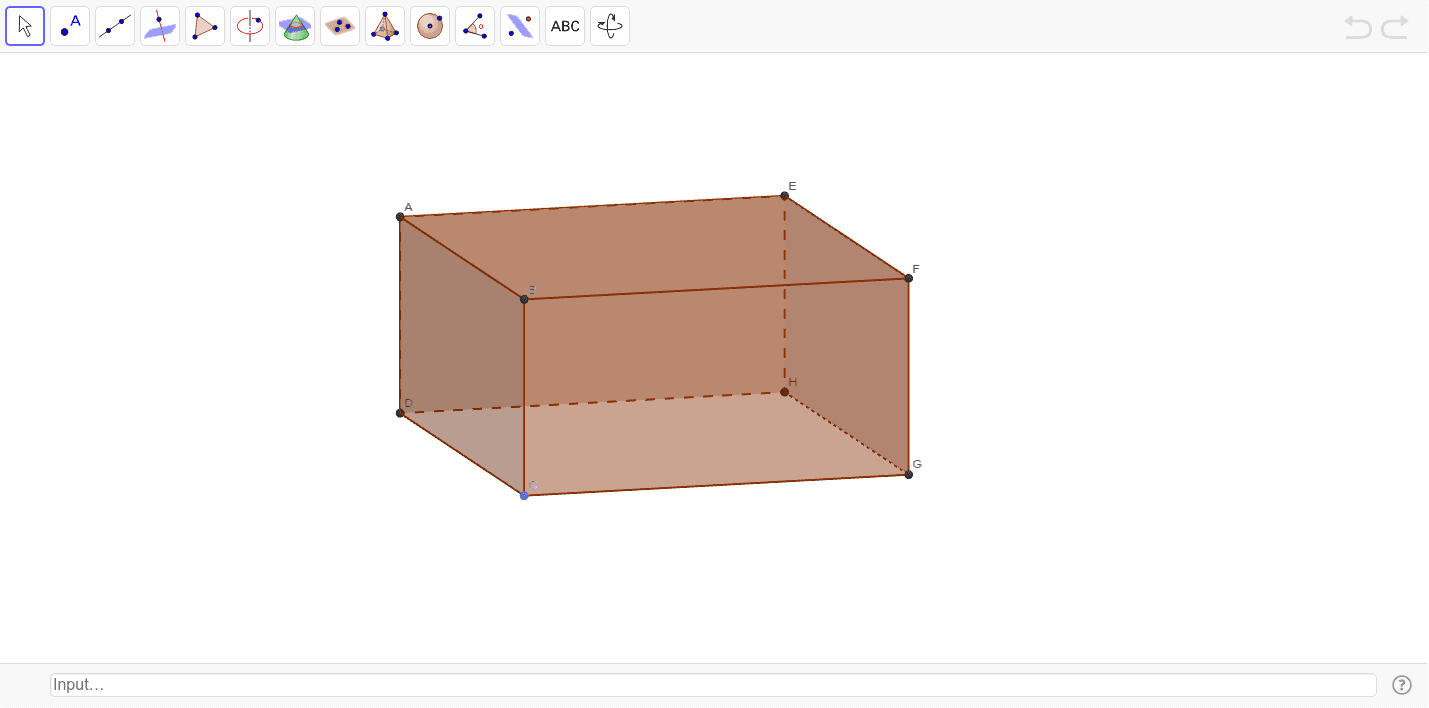
This example demonstrates the geometric properties and calculations of a rectangular prism. It involves core concepts like area, prism, surface area, exponential functions, linear regression, incircle or inscribed circle, linear equations, and logarithmic functions. The construction uses commands such as Intersect, Point, Segment, Circle, OrthogonalLine, Polygon, Prism, Textfield, Volume, and Distance. It is suitable for high school solid geometry teaching and exploration.
GeoGebra Commands & Parameters
Intersect(xAxis, yAxis) → DPoint(Circle[D, abs(a)]) → CSegment(D, C) → bCircle(C, c) → dOrthogonalLine(C, y = 0) → eIntersect(d, e, 2) → GOrthogonalLine(G, e) → fIntersect(f, yAxis) → HPolygon(D, C, G, H) → poly1, a_1, b_1, c_1, d_1Prism(poly1, g) → h, A, edgeAE, edgeBF, edgeCG, edgeDH, edgeEF, edgeFG, edgeGH, edgeEH, B, F, E, faceABFE, faceBCGF, faceCDHG, faceADHE, faceEFGHTextfield() → inputBox1Volume(h) → wDistance(D, C) → distanceABDistance(C, G) → distanceBCDistance(G, F) → distanceCG
AI Drawing Prompt Reference
Draw a rectangular prism with base quadrilateral ABCD, top quadrilateral EFGH, and four rectangular faces. First, draw the base quadrilateral ABCD, then draw the diagonal from point D to C, next draw the circumscribed circle of the base, then draw a line perpendicular to the base through the circle's center, find its intersection with the y-axis at point G, then draw the top quadrilateral EFGH, and finally construct the rectangular prism using the base, top, and side rectangular faces.
The prompt above was compiled from the original drawing commands and is for reference only.