
Rectangle Reflection: Exploring Mirror Transformations and Congruence
Loading the math board and drawing, please wait…
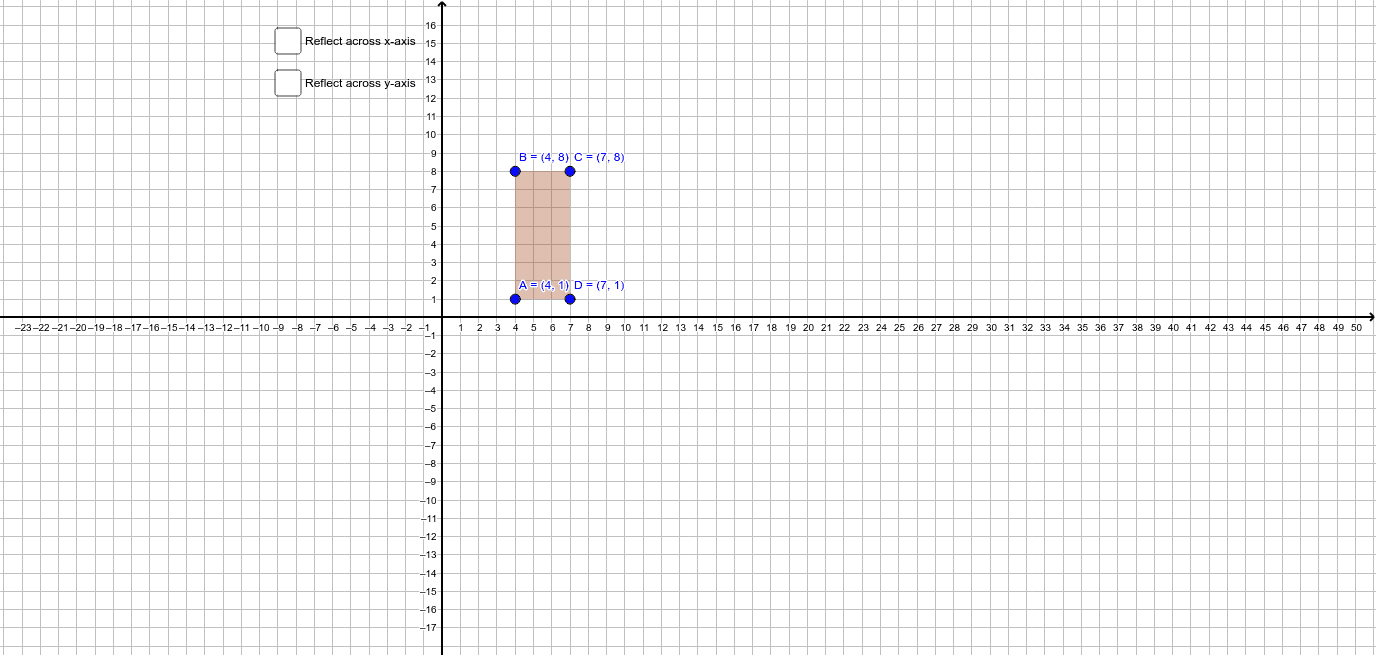
① This example demonstrates the reflection (mirror) of a rectangle across a line, showing the original and mirrored shapes and their positional relationship. ② Core mathematical concepts include reflection (axial symmetry), congruent figures, corresponding points and sides, and invariant properties such as side lengths and angles under transformation. ③ Construction highlights: using GeoGebra's Polygon command to create rectangle ABCD, then applying the Mirror command to reflect the rectangle and its sides, producing the mirrored rectangle A'B'C'D' and corresponding sides a', b', c', d', with additional auxiliary line e and second-reflection objects (A'_1, etc.) to illustrate successive reflections or varying symmetry axes. ④ Suitable for middle and high school students learning geometric transformations, congruence, and symmetry, as well as for teachers demonstrating the mathematical essence of reflection and coordinate changes in class.
GeoGebra Commands & Parameters
Polygon(A, B, C, D) → poly1, a, b, c, dMirror(A, xAxis) → A'Mirror(B, xAxis) → B'Mirror(C, xAxis) → C'Mirror(D, xAxis) → D'Polygon(A', B', C', D') → poly1', a', b', c', d'Mirror(A, yAxis) → A'_1Mirror(B, yAxis) → B'_1Mirror(C, yAxis) → C'_1Mirror(D, yAxis) → D'_1Polygon(A'_1, B'_1, C'_1, D'_1) → poly1'_1, a'_1, b'_1, c'_1, d'_1
AI Drawing Prompt Reference
Draw a rectangle ABCD, then reflect it across the x-axis to get rectangle A'B'C'D', and reflect it again across the y-axis to get rectangle A'_1B'_1C'_1D'. First, draw rectangle ABCD, then perform the reflections across the x-axis and y-axis, and finally draw the resulting rectangles after the reflections.
The prompt above was compiled from the original drawing commands and is for reference only.