
Random Triangle Generator
Loading the math board and drawing, please wait…
In collections
Elementary Geometry
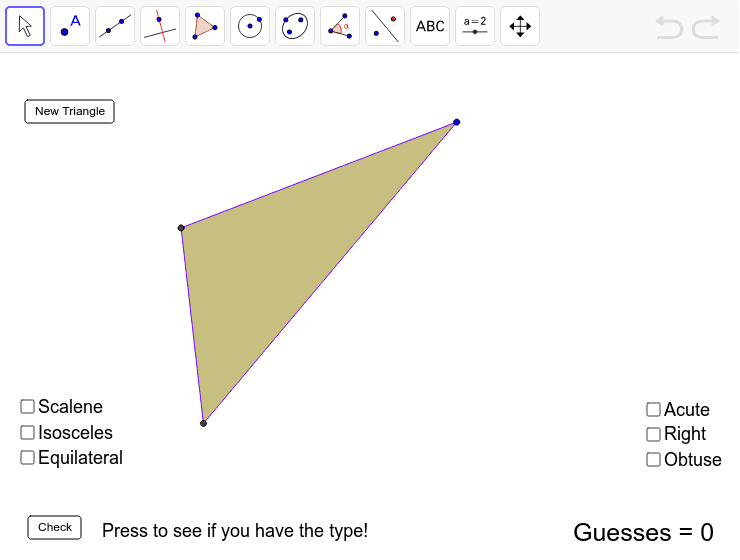
This example demonstrates generating random triangles for students to practice typing. It involves core mathematical concepts like geometric construction, triangle classification (equilateral, scalene, acute, right, obtuse). Construction uses GeoGebra commands: Circle, Intersect, Polygon, LineBisector, Segment, Sort, Rotate. Suitable for middle school and above students for geometry learning and practice.
GeoGebra Commands & Parameters
Circle(A, a) → dIntersect(d, y = 0, 2) → BCircle(B, b) → eCircle(A, c) → fIntersect(e, f, 2) → CPolygon(A, B, C) → poly1, c_1, a_1, b_1LineBisector(c_1) → jLineBisector(a_1) → iIntersect(i, j) → DSegment(D, A) → kCircle(D, A) → pSort({a, b, c}) → listsidesRotate(A, α, D) → A'Rotate(B, α, D) → B'Rotate(C, α, D) → C'Polygon(A', B', C') → poly1', c', a', b'
AI Drawing Prompt Reference
Draw a randomly generated triangle by first creating three circles with different centers, then finding their intersections with the x-axis. Use these points to form a triangle and draw its two angle bisectors, connecting their intersection point to the triangle's vertices to create a new triangle. Finally, rotate the new triangle around the intersection point to demonstrate a rotation effect.
The prompt above was compiled from the original drawing commands and is for reference only.