
Quiz on Sine and Cosine Law
Loading the math board and drawing, please wait…
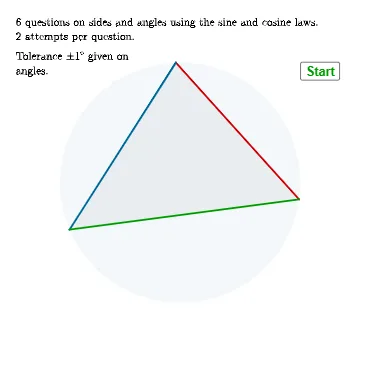
① This interactive quiz demonstrates the application of the sine law and cosine law in solving triangles, with randomly generated questions and immediate feedback. ② Core mathematical concepts include the sine rule, cosine rule, triangle angle sum, side-angle relationships, and solving for unknown sides or angles. ③ Construction highlights: GeoGebra commands such as Shuffle, Random, Angle, Polygon, Element, If, Textfield, Midpoint, AreEqual, and Corner are used to generate random questions, display triangles, and process user inputs; variables like α, β, γ and conditional checks (e.g., ansq1, alphansq2) validate answers. ④ Suitable for high school or early college students practicing trigonometry and triangle solving, and useful for teachers as an in-class interactive assessment tool.
GeoGebra Commands & Parameters
Shuffle(qlist) → qlistsh, {1, 5, 3, 6, 4, 2}Random(2, 30) → sf, 18Angle(V3, V2, V1) → αPolygon(V1, V2, V3) → t1, v3, v1, v2Angle(V1, V3, V2) → βAngle(V2, V1, V3) → γElement(qlistsh, elem) → qQIf(α > 90°, round(180° - asind((sin(gamr) / sv1 * sv2))), round(asind((sin(gamr) / sv1 * sv2)))) → alphansq2If(α > 90°, round(180° - asind((sv2 * sin(gamr) / ansq6side))), round(asind((sv2 * sin(gamr) / ansq6side)))) → alphansq6Textfield(stansv2) → InputBox1Textfield(stansv3) → InputBox2Midpoint(V3m, V2p) → Mv1Midpoint(V2m, V1p) → Mv3Midpoint(V3p, V1m) → Mv2Angle(V3, V2, V1) → δAreEqual(InputBox2, ansq1) → corr13AreEqual(InputBox1, ansq5) → corr5Textfield(stansalpha) → InputBox3If(qQ ≟ 1 ∨ qQ ≟ 3, ("x=" * Text[ansq1]), If[qQ ≟ 5, ("x=" * Text[ansq5]), If[qQ ≟ 2, ("\theta=" * Text[alphansq2]), If[qQ ≟ 4, ("\theta=" * Text[alphaansq4]), ("\theta=" * Text[alphansq6])]]]) → answtextCorner(5) → dims
AI Drawing Prompt Reference
Create an interactive geometry quiz demonstrating the sine and cosine laws for solving triangles. Display randomly generated problems with triangles, asking users to input unknown sides or angles and providing immediate feedback. Include a randomly generated triangle with labeled angles and sides, along with text boxes for user answers and feedback.
The prompt above was compiled from the original drawing commands and is for reference only.