
Quadrilaterals on a Geoboard
Loading the math board and drawing, please wait…
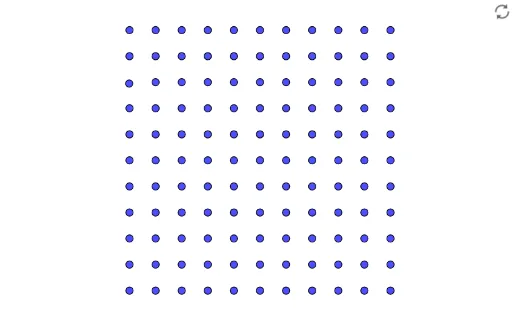
This example demonstrates how to construct various quadrilaterals, including parallelograms, rectangles, squares, and trapezoids, on a geoboard. Using GeoGebra commands, it is easy to create these shapes and explore their properties. The construction summary mentions the use of multiple objects and commands such as B, C, D, E, F, G, H, I, J, K, L, M, N, O, P, Q, R, S, T, U, V, W, Z, A_1, B_1, C_1, D_1, E_1, F_1, G_1, H_1, I_1, J_1, K_1, L_1, M_1, N_1, O_1, P_1, Q_1. Suitable for middle school and above students to learn geometric construction and properties of quadrilaterals.
GeoGebra Commands & Parameters
(1, 0)(2, 0)(3, 0)(4, 0)(5, 0)(6, 0)(7, 0)(8, 0)(9, 0)(10, 0)(0, 1)(0, 2)(0, 3)(0, 4)(0, 5)(0, 6)(0, 7)Point S(-0.011953124999992324, 7.950625000000008)(0, 9)(0, 10)(1, 1)(1, 2)(1, 3)(1, 4)(1, 5)(1, 6)(1, 7)(1, 8)(1, 9)(1, 10)(2, 1)(2, 2)(2, 3)(2, 4)(2, 5)(2, 6)(2, 7)(2, 8)(2, 9)(2, 10)(3, 1)(3, 2)(3, 3)(3, 4)(3, 5)(3, 6)(3, 7)(3, 8)(3, 9)(3, 10)(4, 1)(4, 2)(4, 3)(4, 4)(4, 5)(4, 6)(4, 7)(4, 8)(4, 9)(4, 10)
AI Drawing Prompt Reference
Draw a parallelogram on the grid, then draw a rectangle and a square on the same grid. First, create points A(1,0), B(2,0), C(3,0), D(4,0), E(5,0), F(6,0), G(7,0), H(8,0), I(9,0), J(10,0), K(0,1), L(0,2), M(0,3), N(0,4), O(0,5), P(0,6), Q(0,7), R(0,8), S(0,9), T(0,10). Then, connect points A to K, B to L, C to M, D to N, E to O, F to P, G to Q, H to R, I to S, J to T, K to L, L to M, M to N, N to O, O to P, P to Q, Q to R, R to S, S to T, T to K to form a parallelogram. Next, connect points A to K, B to L, K to T, L to S to form a rectangle. Finally, connect points A to K, B to L, C to M, D to N to form a square.
The prompt above was compiled from the original drawing commands and is for reference only.