
Quadrilateral Pyramid Construction
Loading the math board and drawing, please wait…
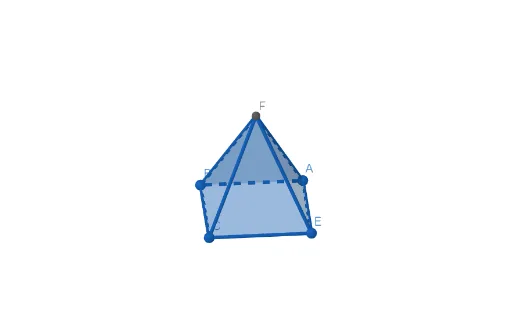
This example demonstrates the geometric construction and visualization of a quadrilateral pyramid. Key math concepts include solid geometry, vectors, matrices, and polygons. Construction highlights involve using GeoGebra commands/objects like Point, Polygon, and Pyramid. Suitable for high school and above students learning solid geometry, vector and matrix applications, and related topics like linear programming and 3D graphics.
GeoGebra Commands & Parameters
Point(xAxis) → APoint(yAxis) → BPoint(xAxis) → CPoint(yAxis) → EPolygon(A, B, C, E) → q1, a, b, c, ePyramid(q1, 3) → d, F, faceABF, faceBCF, faceCEF, faceAEF, edgeAF, edgeBF, edgeCF, edgeEF
AI Drawing Prompt Reference
Draw a quadrilateral pyramid by first creating two points on the x-axis and y-axis, then connecting these four points to form a quadrilateral. Next, construct a pyramid with this quadrilateral as the base in 3D space, showing all its faces and edges.
The prompt above was compiled from the original drawing commands and is for reference only.