
Quadratic Functions (General Form) Dynamic Exploration
Loading the math board and drawing, please wait…
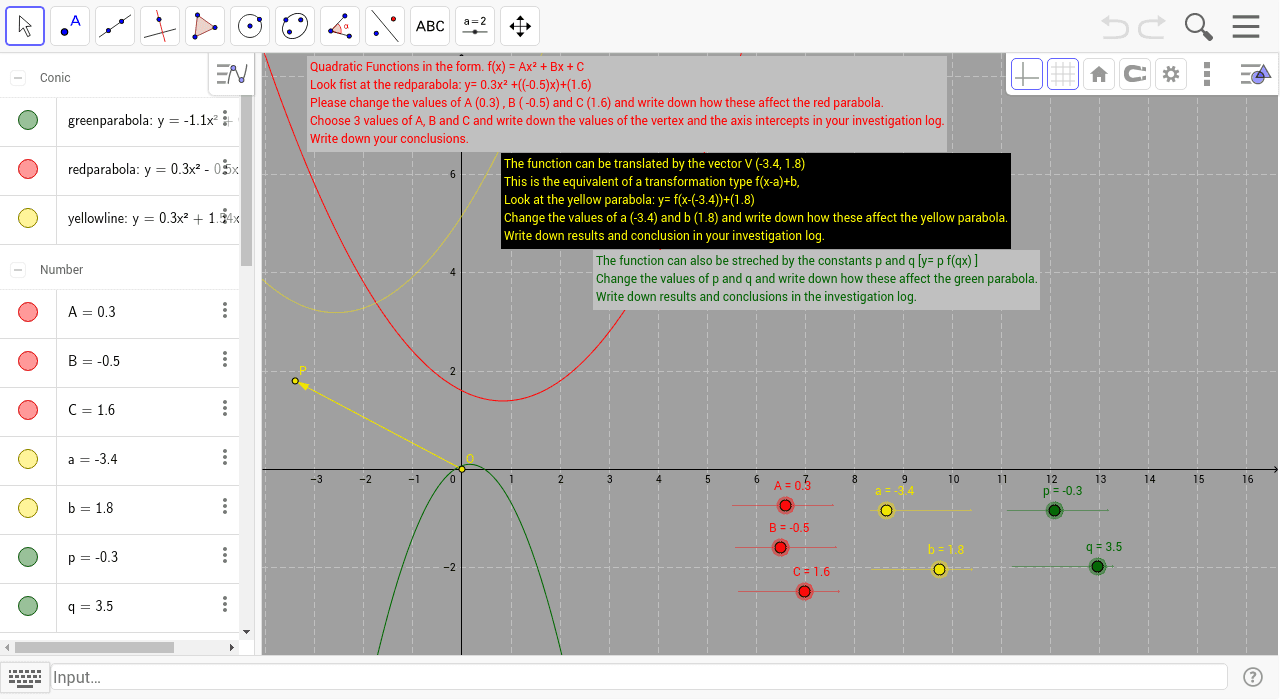
This example demonstrates the graph and properties of quadratic functions (general form) using a GeoGebra dynamic worksheet. Key math concepts include the graph of quadratic functions, vertex, axis of symmetry, and the effects of parameters a and b on the function's graph. Construction highlights the use of GeoGebra commands: Intersect, Vector, Translate; and objects: B, C, a, b, P, O, u, text3, p, q, A, redparabola, yellowline, greenparabola, text2, text1. Suitable for high school students learning about quadratic functions and their transformations.
GeoGebra Commands & Parameters
Intersect(xAxis, yAxis) → OVector(O, P) → uTranslate(redparabola, u) → yellowline
AI Drawing Prompt Reference
Draw a quadratic function in general form with its vertex and axis of symmetry, and show how parameters a and b affect the graph. First, create a vector u from the origin, then translate the red parabola to get the yellow line.
The prompt above was compiled from the original drawing commands and is for reference only.