
Quadratic Function Geometric Construction
Loading the math board and drawing, please wait…
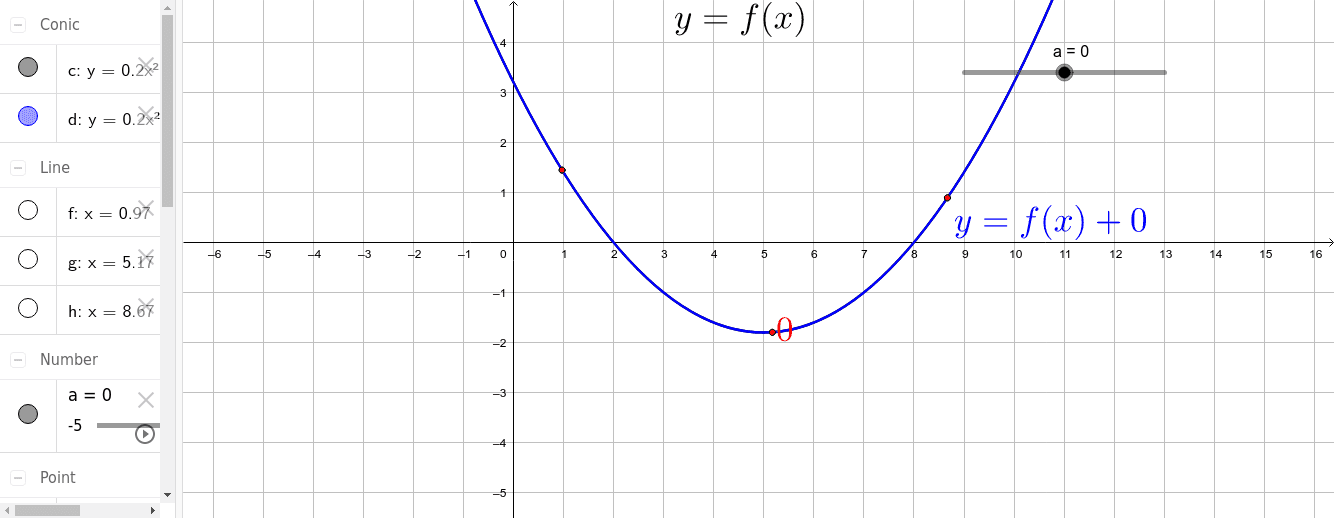
This example demonstrates the geometric representation of a quadratic function. Key mathematical concepts include quadratic functions, vectors, and trigonometric functions. Using GeoGebra commands such as Point, Line, Intersect, and Vector, the construction of the quadratic function's graph and related geometric elements is illustrated. Suitable for high school mathematics education and learning about the properties of quadratic functions.
GeoGebra Commands & Parameters
Point(c) → APoint(c) → BPoint(c) → CLine(C, yAxis) → fLine(A, f) → gLine(B, g) → hIntersect(d, f, 1) → DIntersect(d, g, 1) → EIntersect(d, h, 1) → FVector(C, D) → uVector(A, E) → vVector(B, F) → w
AI Drawing Prompt Reference
Draw a quadratic function curve on a coordinate plane. Select three points on the curve. From each point, draw a line parallel to the y-axis. Then, from the first point, draw a line parallel to the y-axis; from the second point, draw a line parallel to that first line; from the third point, draw a line parallel to the second line. These parallel lines intersect the quadratic curve at three points. Finally, draw vectors from the three original points on the curve to their corresponding intersection points, illustrating the relationship between function values and geometric construction.
The prompt above was compiled from the original drawing commands and is for reference only.