
Pythagorean Calculator
Loading the math board and drawing, please wait…
In collections
Pythagoras
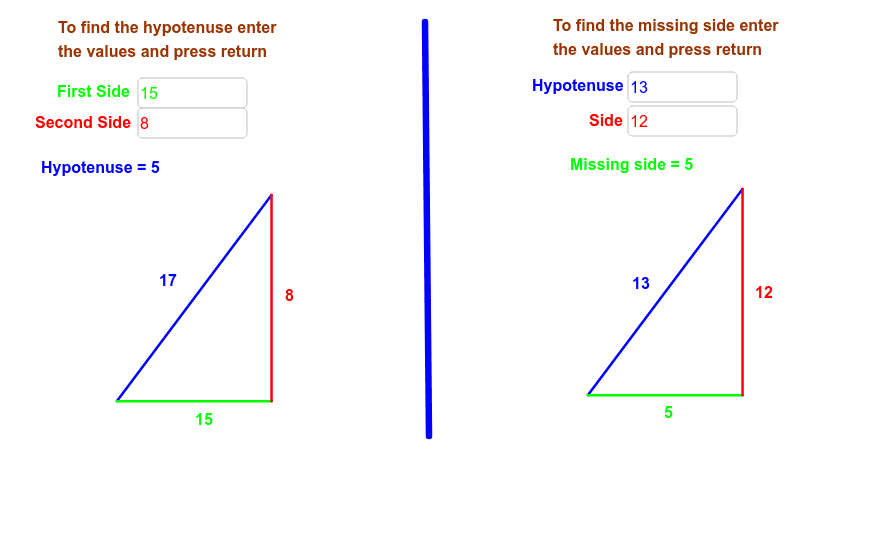
This example demonstrates calculating the missing side of a right-angled triangle using the Pythagorean theorem. The core mathematical concept is the Pythagorean theorem, which states that the sum of the squares of the two legs equals the square of the hypotenuse. Construction involves using Textfield and Segment commands to create triangle objects, inputting known side lengths via inputBox, and marking vertices with objects like A, B, C. Variables such as k and k_1 are used for calculations. Suitable for middle school students or math teaching demonstrations.
GeoGebra Commands & Parameters
Textfield(a) → inputBox1Textfield(b) → inputBox2Segment(C, A) → cSegment(A, B) → dSegment(C, B) → eSegment(C_1, A_1) → c_1Segment(A_1, B_1) → d_1Segment(C_1, B_1) → e_1Textfield(f) → inputBox3Textfield(g) → inputBox4Segment(D, E) → i
AI Drawing Prompt Reference
Draw a right-angled triangle with labeled legs and hypotenuse. Use input boxes to enter the lengths of the two legs, calculate the hypotenuse length using the Pythagorean theorem, and differentiate the three sides with colors or styles. Display the calculation result next to the diagram.
The prompt above was compiled from the original drawing commands and is for reference only.