
Pyramid and Net Construction
Loading the math board and drawing, please wait…
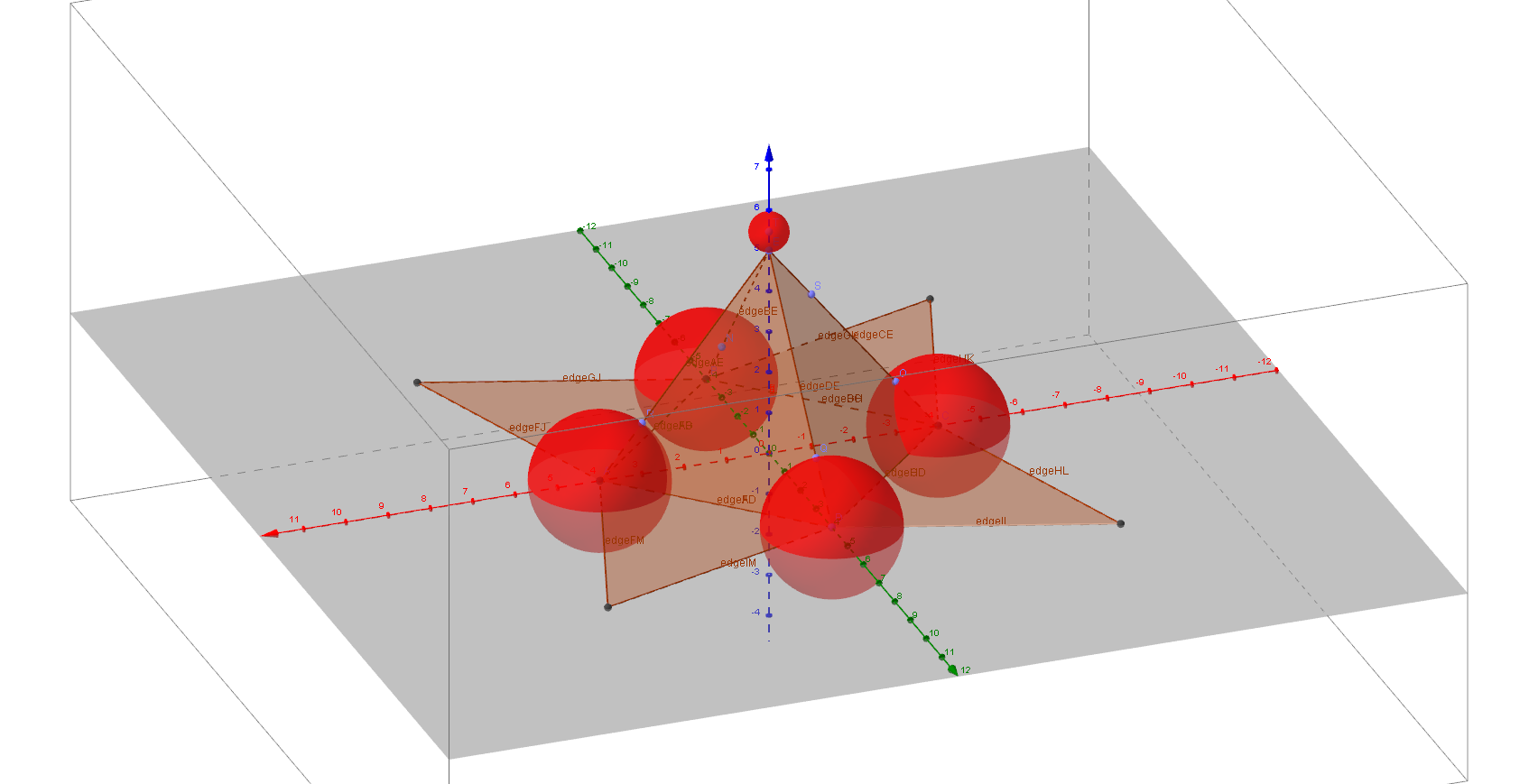
This example demonstrates the construction of a pyramid and its net (unfolded form). Key math concepts include solid geometry, polygons, vectors, and set theory. The construction uses GeoGebra commands like Point, Pyramid, Net, and Sphere, defining vertices (A, B, C, D, E), faces (faceABCD, etc.), edges (edgeAB, etc.), and auxiliary points (F, G, H, etc.). Suitable for high school solid geometry teaching or introductory mathematical modeling.
GeoGebra Commands & Parameters
Point(xAxis) → APoint(yAxis) → BPoint(xAxis) → CPoint(yAxis) → DPoint(zAxis) → EPyramid(A, B, C, D, E) → a, faceABCD, edgeAE, edgeBE, edgeCE, edgeDE, faceABE, faceBCE, faceCDE, faceADE, edgeAB, edgeBC, edgeCD, edgeADNet(a, b) → c, F, faceFGJ, faceGHK, faceHIL, faceFIM, edgeFG, edgeGH, edgeHI, edgeFI, edgeFJ, edgeGJ, G, edgeGK, edgeHK, edgeHL, edgeIL, edgeIM, edgeFM, H, I, J, K, L, M, faceFGHIPoint(edgeBE) → NSphere(B, N) → dPoint(edgeCE) → OSphere(C, O) → ePoint(edgeAD) → PPoint(edgeDE) → QSphere(P, Q) → fPoint(edgeAE) → RSphere(A, R) → gPoint(edgeCE) → SPoint(zAxis) → TSphere(T, E) → h
AI Drawing Prompt Reference
Draw a pyramid with a square base ABCD and apex E. Start by creating point A on the x-axis, point B on the y-axis, point C on the x-axis, and point D on the y-axis. Then create point E on the z-axis. Construct the pyramid using these five points and unfold it into a net to show the faces. Next, create point N on edge BE and draw a sphere with centers B and N. Create point O on edge CE and draw a sphere with centers C and O. Create point P on edge AD and point Q on edge DE, then draw spheres with centers P and Q. Create point R on edge AE and draw a sphere with centers A and R. Finally, create point S on edge CE and point T on the z-axis, then draw a sphere with centers E and T.
The prompt above was compiled from the original drawing commands and is for reference only.