
Proving the Law of Sines with GeoGebra
Loading the math board and drawing, please wait…
In collections
Grade 12 Calculus & Vectors MCV4U1
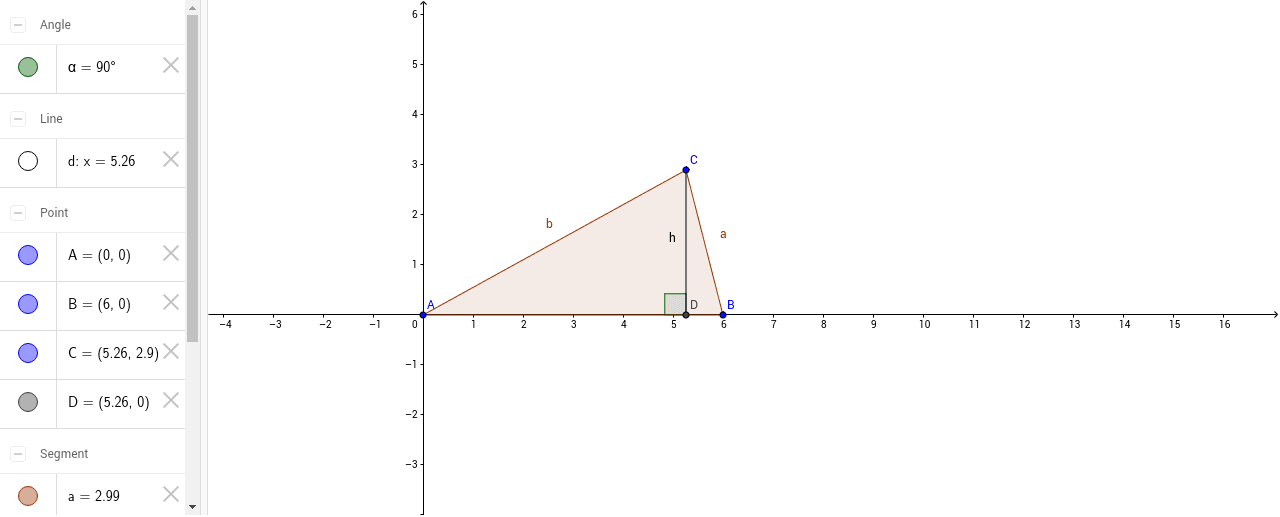
This GeoGebra example dynamically demonstrates the proof of the Law of Sines and extends the relationship of sin(A) for any acute triangle. It involves core concepts such as the Law of Sines, trigonometric functions, altitude construction, and intersection points. The construction uses the Polygon command to create triangle ABC, OrthogonalLine to draw altitude h, Intersect to locate foot D, and Segment, Angle objects to compute side lengths and angle α, leading to the identity sin(A)/a = sin(B)/b = sin(C)/c. The example is suitable for high‑school geometry and trigonometry classes as well as introductory college geometry modeling courses.
GeoGebra Commands & Parameters
Polygon(A, B, C) → poly1, c, a, bOrthogonalLine(C, c) → dIntersect(d, c) → DSegment(C, D) → hAngle(C, D, A) → α
AI Drawing Prompt Reference
Draw a right triangle ABC, construct a perpendicular line from point C to side AB, intersecting at point D, then connect CD and measure angle ACD as α. Use the Polygon command to create triangle ABC, construct the perpendicular line and find the intersection point, calculate side lengths a and b, and angle α to demonstrate the proof of the Law of Sines.
The prompt above was compiled from the original drawing commands and is for reference only.