
Projectile Motion of a Bag
Loading the math board and drawing, please wait…
In collections
Projectile Projects W15
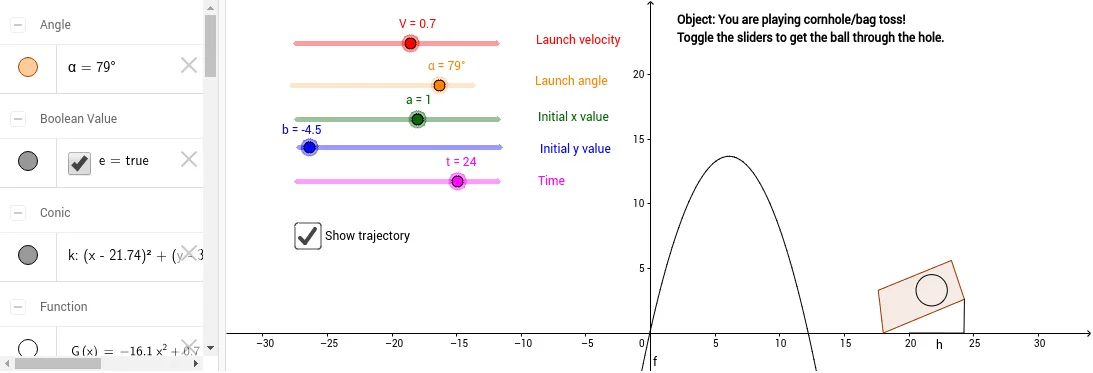
This example demonstrates the trajectory of a bag being thrown. Key mathematical concepts include vectors, trigonometry, and coordinate geometry. Using GeoGebra commands such as Point, Polygon, Intersect, Segment, and Circle, the trajectory of the bag can be constructed. Suitable for high school physics and mathematics education.
GeoGebra Commands & Parameters
Point(xAxis) → DPolygon(A, B, C, D) → poly1, a_1, b_1, c_1, dIntersect(b_1, c_1) → ESegment(E, F) → gSegment(I, F) → hIntersect(c_1, d) → JCircle(K, L) → k
AI Drawing Prompt Reference
Draw the trajectory of a bag being thrown. Start by creating a point D on the x-axis as the starting point. Then, draw a quadrilateral using points A, B, C, and D. Next, find the intersection point E of line segments BC and CD, and draw a line segment g from E to F. Then, draw a line segment h from I to F. After that, find the intersection point J of line segments CD and BC, and draw a circle k with center K and L.
The prompt above was compiled from the original drawing commands and is for reference only.