
Probability Distribution
Loading the math board and drawing, please wait…
In collections
学习 GeoGebra 经典应用
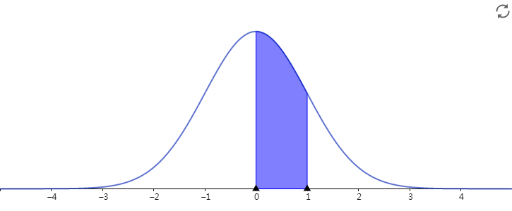
This example demonstrates how to use the Statistics Calculator to analyze data. It covers core concepts in probability and statistics, constructing histograms and probability distributions to understand data distribution characteristics. It uses Statistics Calculator commands to generate distribution graphs. Suitable for high school and above students or teachers.
AI Drawing Prompt Reference
Draw a probability distribution graph, including a histogram and a probability density curve, to show data distribution characteristics. The histogram should display the frequency distribution of the data, and the probability density curve should represent the probability density of the data. Please generate these graphs based on the given data, with the histogram's x-axis representing data values, y-axis representing frequency, and the probability density curve's x-axis representing data values, y-axis representing probability density.
The prompt above was compiled from the original drawing commands and is for reference only.