
Practice Solving Right Triangles
Loading the math board and drawing, please wait…
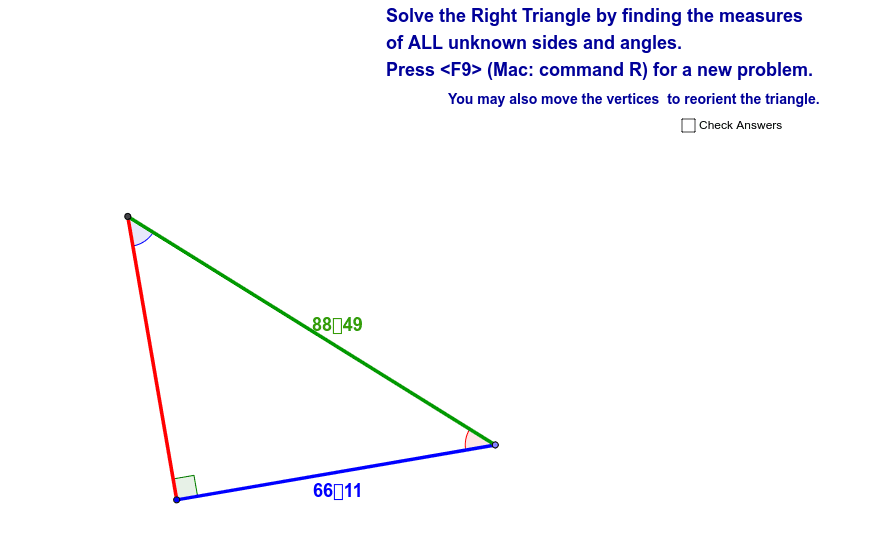
This example demonstrates how to solve right triangles given two inputs (leg lengths or angle measures). Key math concepts include trigonometry and geometric construction. GeoGebra commands used include Circle, Point, Segment, OrthogonalLine, Intersect, Midpoint, Angle, and Random. Suitable for middle school and above students or teachers.
GeoGebra Commands & Parameters
Circle(A, leg1) → cCircle(A, leg2) → dPoint(c) → BSegment(A, B) → aOrthogonalLine(A, a) → bIntersect(d, b, 2) → CSegment(A, C) → eSegment(C, B) → fMidpoint(a) → DMidpoint(e) → EMidpoint(f) → FAngle(C, B, A) → αAngle(A, C, B) → βAngle(B, A, C) → γRandom(1, 7) → Case
AI Drawing Prompt Reference
Draw a right triangle with one leg formed by a segment from a point on a circle to its center, and the other leg perpendicular to it, intersecting another concentric circle. Start with two concentric circles of different radii. Pick a point on the larger circle as one vertex, connect it to the center to form one leg. From that vertex, draw a perpendicular line to the other circle to get the third vertex. Connect all three vertices to form the triangle. Label all three interior angles and include a random case number.
The prompt above was compiled from the original drawing commands and is for reference only.