
Practice: Equations of Lines via GeoGebra
Loading the math board and drawing, please wait…
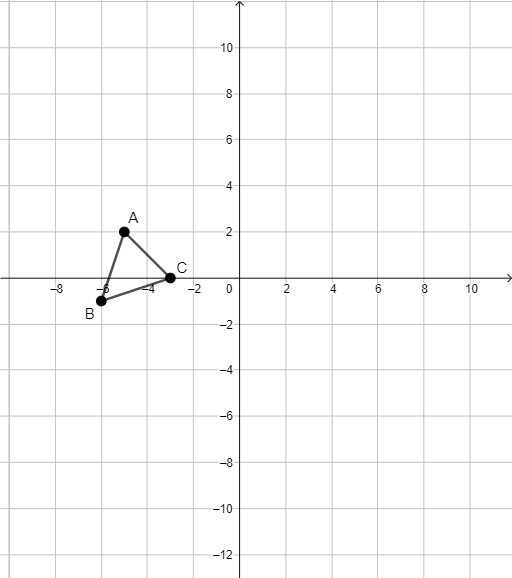
This GeoGebra example demonstrates how to construct and visualize equations of lines by linking an algebraic description to a geometric representation on the coordinate plane. It helps learners see the connection between a line’s equation (e.g., slope-intercept form) and the corresponding straight-line graph, strengthening intuition about linear relationships. Key concepts include linear functions, the meaning of parameters in line equations, and coordinate-geometry reasoning using constructed geometric elements. From the construction summary, the model is built using the GeoGebra command “Segment” to create the segment objects A, B, and C, along with additional objects f, g, and h that typically serve as auxiliary elements or graphical carriers for the relationships being studied. Suitable for middle and high school students, classroom practice, and self-study on analytic geometry and function graphing.
GeoGebra Commands & Parameters
Segment(A, B) → fSegment(B, C) → gSegment(C, A) → h
AI Drawing Prompt Reference
On a coordinate plane, draw a closed triangle by connecting three distinct vertices. First place three non-collinear points as the triangle’s corner points, then draw the segment joining the first point to the second, the segment joining the second point to the third, and finally the segment joining the third point back to the first. Make these three segments the triangle’s edges so they form a complete, closed shape.
The prompt above was compiled from the original drawing commands and is for reference only.