
Polynomial Division Using Box Method
Loading the math board and drawing, please wait…
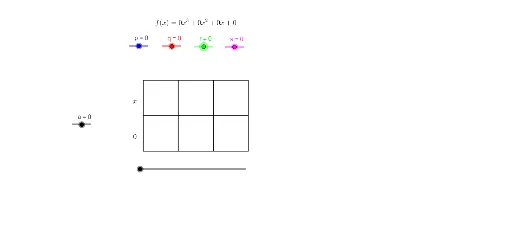
This example demonstrates polynomial division using the box method. Key mathematical concepts include polynomial division and the box method. GeoGebra commands such as Point, Segment, and Textfield are used to construct the polynomial division process. Suitable for high school mathematics education and learning.
GeoGebra Commands & Parameters
Point(yAxis) → ASegment(A, B) → a_8Point(xAxis) → CSegment(B, C) → a_9Point(xAxis) → DSegment(C, D) → a_3Segment(A, D) → a_4Point(a_4) → EPoint(a_9) → FSegment(E, F) → a_5Point(a_8) → GPoint(a_3) → HSegment(G, H) → a_6Point(a_8) → IPoint(a_3) → JSegment(I, J) → a_7Textfield(p) → InputBox1Textfield(q) → InputBox2
AI Drawing Prompt Reference
Draw a rectangular box on a coordinate plane for demonstrating polynomial division. Start by placing a point on the vertical axis, then draw a horizontal segment from it to a point on the horizontal axis. Add another point on the horizontal axis and connect it to the first point to form the top side, then connect the two horizontal-axis points to form the bottom side. Inside the box, draw a diagonal segment from a point on the top side to a point on the right side, and another diagonal from a point on the left side to a point on the bottom side, dividing the box into four sections. Finally, place two text input boxes near the figure, labeled 'p' and 'q', for entering polynomials.
The prompt above was compiled from the original drawing commands and is for reference only.