
Polygons 1
Loading the math board and drawing, please wait…
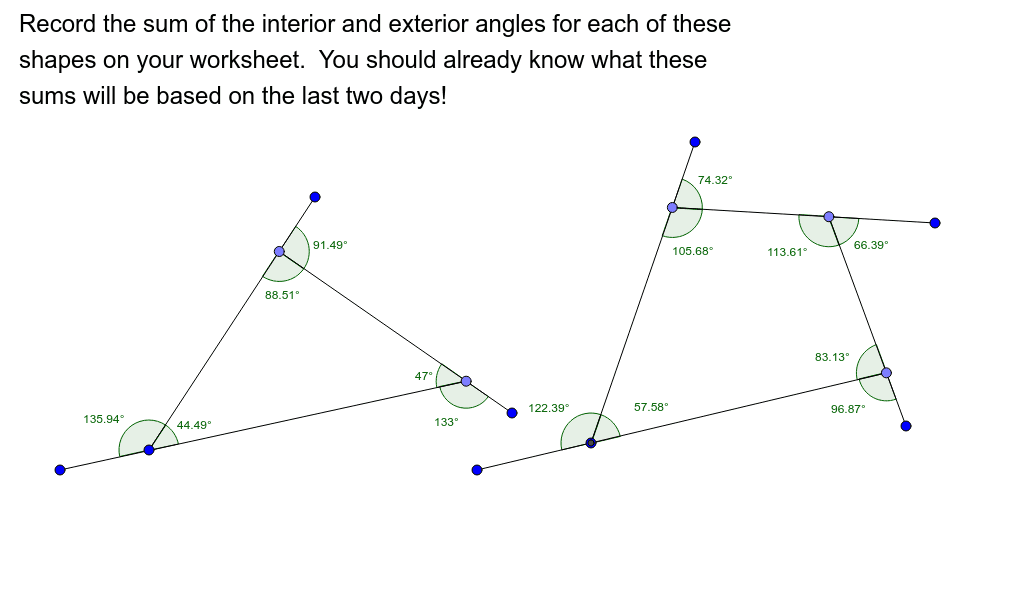
This example demonstrates the basic construction of polygons. Key mathematical concepts include polygons, circles, and trigonometric functions. Using GeoGebra commands such as Segment, Point, and Intersect, polygons and related elements can be constructed. Suitable for students at the junior high school level and above for geometric construction.
GeoGebra Commands & Parameters
Segment(A, B) → fPoint(f) → CSegment(C, D) → gPoint(g) → ESegment(E, F) → hIntersect(h, f) → GAngle(C, A, F) → αAngle(A, E, D) → βAngle(E, C, B) → γAngle(A, C, E) → δAngle(C, E, A) → εAngle(E, A, C) → ζSegment(H, I) → iPoint(i) → JSegment(J, K) → jPoint(j) → LSegment(L, M) → kPoint(k) → NSegment(N, O) → lIntersect(l, i) → PAngle(J, H, O) → ηAngle(H, N, M) → θAngle(N, L, K) → ιAngle(L, J, I) → κAngle(H, J, L) → λAngle(J, L, N) → μAngle(L, N, H) → νAngle(N, H, J) → ξ
AI Drawing Prompt Reference
Draw two closed polygons formed by straight segments. The first polygon has a horizontal base segment, with a point on it connected to an upper point, then to a right-side point, and finally this last segment intersects the base, creating an irregular quadrilateral. Mark several angles inside and on the edges of this quadrilateral. The second polygon is similar: start with another horizontal base, place points on its segments, connect them sequentially to form another closed shape, and label multiple interior and exterior angles. Show both polygons separately with clear vertices and angle marks.
The prompt above was compiled from the original drawing commands and is for reference only.