
Polygonal String Art
Loading the math board and drawing, please wait…
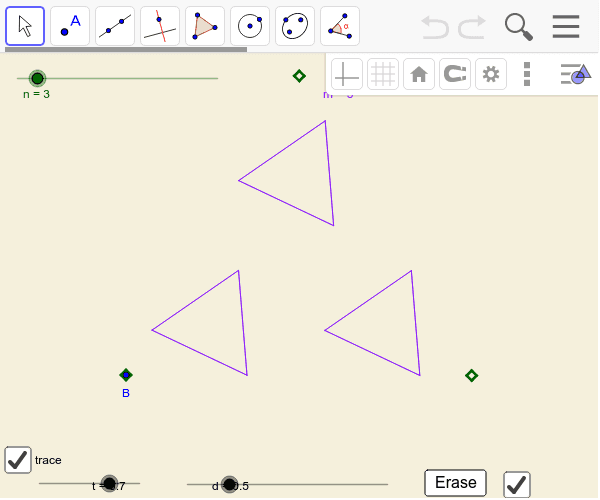
This example demonstrates dynamic geometric phenomena involving nested polygons and rotation. Core math concepts include polygons, rotation, statistical characteristics, function graphs, logarithms, and plane figures. Construction highlights the use of GeoGebra commands/objects like Sequence, OrthogonalVector, Midpoint, Polygon, Perimeter, and Area. Suitable for high school and above students to explore geometric transformations, function graphs, and polygon properties.
GeoGebra Commands & Parameters
Sequence(Rotate[B, ((i * 360) * ° / n), A], i, 1, n) → list1Sequence(Element[list1, i] + (d * (Element[list1, fn(i + 1)] - Element[list1, i])), i, 1, n) → list2OrthogonalVector(Line[Element[list1, 1], Element[list2, 1]]) → uMidpoint(Element[list2, 1], Element[list1, 1]) → FPolygon(Element[list1, 1], Element[list2, 1], m) → poly1Perimeter(poly1) → bArea(poly1) → aSequence(Polygon[Element[list1, i], Element[list2, i], m], i, 1, n) → list3Sequence(Rotate[C, ((i * 360) * ° / n), A], i, 1, n) → list4Sequence(Rotate[Element[list1, 1] + (t * (Element[list2, 1] - Element[list1, 1])), ((i * 360) * ° / m), C], i, 1, m) → list5Sequence(Segment[Element[list5, i], Element[list5, fm(i + 1)]], i, 1, m) → list6Sequence(Rotate[list6, ((i * 360) * ° / n), A], i, 1, n) → list7
AI Drawing Prompt Reference
Create a dynamic geometric artwork demonstrating nested polygons and rotation. Begin by generating a rotating sequence, then construct polygons using vector operations and midpoints, calculating their perimeters and areas. Rotate and generate multiple polygons, and finally draw complex patterns formed by segments derived from these polygons, highlighting geometric transformations and the connection to function graphs.
The prompt above was compiled from the original drawing commands and is for reference only.