
Polygonal Path
Loading the math board and drawing, please wait…
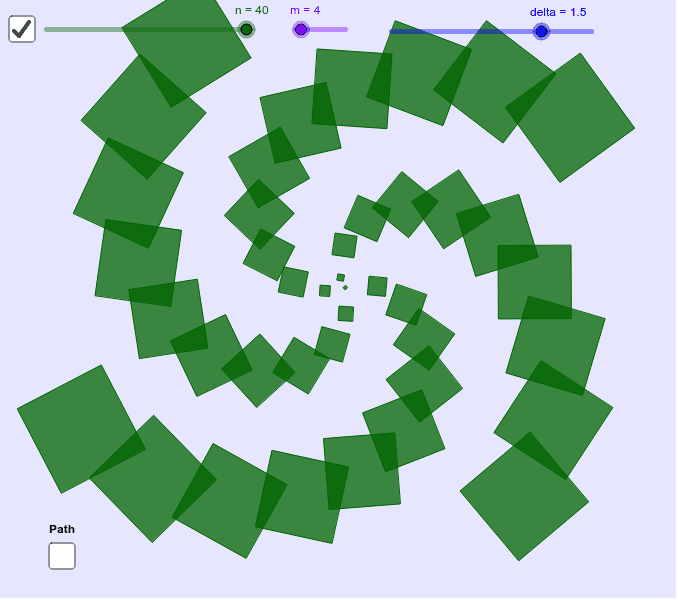
This example demonstrates arranging sequences of shapes along parametric paths to create various visual effects. Numerous effects are possible, even with simple spirals. Key math concepts include parametric curves, polygon construction, sequences and series, ratios, and more. The construction uses GeoGebra commands like Curve, Sequence, Textfield, Corner, and objects such as n, y1, x1, pth, m, delta, list1, text1, inputBox1, inputBox2, a, b, dispth, A for parameter control and graphical generation. Suitable for high school and above to explore parametric equations, geometric transformations, and sequence applications.
GeoGebra Commands & Parameters
CurveCartesian(x1(t), y1(t), t, 0, n) → pthSequence(Polygon[pth((delta * (i + 1 / (2 + (2 * i / n))))), pth((delta * i)), m], i, 0, n) → list1Textfield(x1) → inputBox1Textfield(y1) → inputBox2CurveCartesian(x1(t), y1(t), t, 0, (delta * 40)) → dispthCorner(5) → A
AI Drawing Prompt Reference
Draw a parametric curve and place multiple polygons along it to form a spiral path. Adjust the range of parameter t and the number of polygons to change the shape of the path and the arrangement of polygons. Use input boxes to set the values of x1 and y1 to control the parameters of the path.
The prompt above was compiled from the original drawing commands and is for reference only.