
Polygon Construction Example by A.M.E. - Art & Math Exhibition
Loading the math board and drawing, please wait…
In collections
polygons (GER)
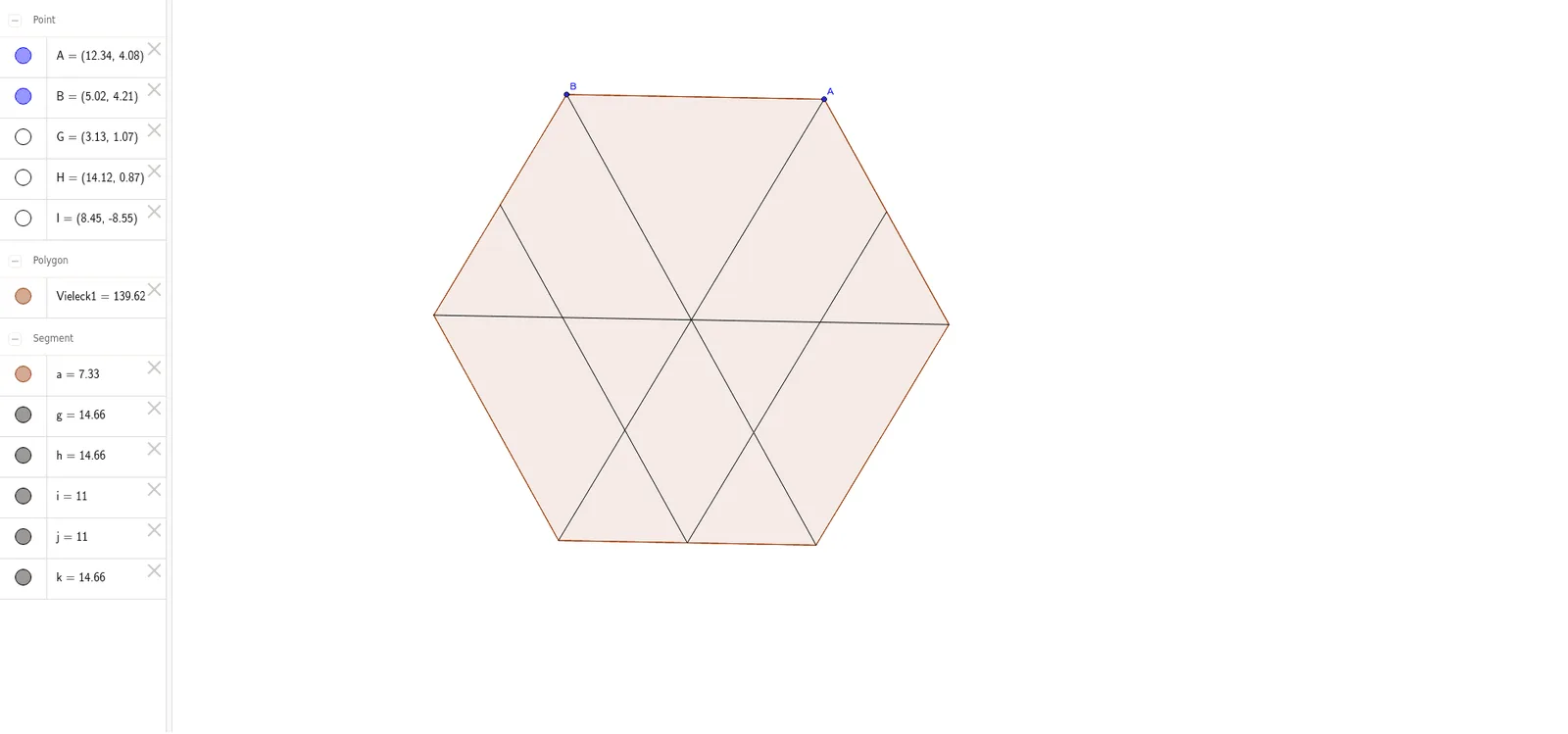
This example demonstrates how to construct a polygon using GeoGebra. It involves core mathematical concepts such as polygons, midpoints, segments, conditional probability, logarithms, and perimeter. The construction uses commands like Polygon, Midpoint, and Segment. Suitable for high school students or teachers learning geometric constructions.
GeoGebra Commands & Parameters
Polygon(A, B, 6) → Vieleck1, a, F, b, c, d, e, f, C, D, EMidpoint(C, B) → GMidpoint(F, A) → HMidpoint(E, D) → ISegment(B, E) → gSegment(D, A) → hSegment(I, G) → iSegment(I, H) → jSegment(C, F) → k
AI Drawing Prompt Reference
Draw a hexagon and find the midpoints of three of its vertices, then connect these midpoints and some of the vertices with line segments to create a geometric pattern that highlights midpoints, segments, and the polygon itself.
The prompt above was compiled from the original drawing commands and is for reference only.