
Polar Coordinates by Brian Sterr
Loading the math board and drawing, please wait…
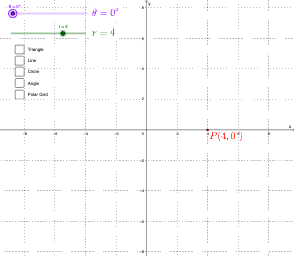
This example demonstrates geometric shapes in the polar coordinate system, where points are represented by distance and angle. Using commands like Rotate, Ray, Angle, OrthogonalLine, Intersect, Segment, Point, and Sequence, various geometric shapes can be constructed. Suitable for high school mathematics education and learning.
GeoGebra Commands & Parameters
Rotate((1, 0), θ) → ARay((0, 0), A) → aAngle(xAxis, a) → αOrthogonalLine(P, xAxis) → dIntersect(d, xAxis) → BSegment(B, P) → eSegment(B, C) → fAngle(C, B, P) → βPoint(f) → DSegment(P, D) → kSequence((y * cos((pi * t / 12))) = (x * sin((pi * t / 12))), t, 0, 11) → list2Sequence(Text[k, (k, 0)], k, 1, 20) → list3Ray((0, 0), (1, 0)) → mSequence(Text[(15 * k) + "°", ((5.5 * cos((pi * k / 12))), (5.5 * sin((pi * k / 12))))], k, 0, 23) → list4Sequence(Circle[(0, 0), k], k, 1, 20) → list1Ray((0, 0), (1; θ)) → bRay((0, 0), (-1; θ)) → n