
Points, Lines, and Planes Construction by Angelique Errett
Loading the math board and drawing, please wait…
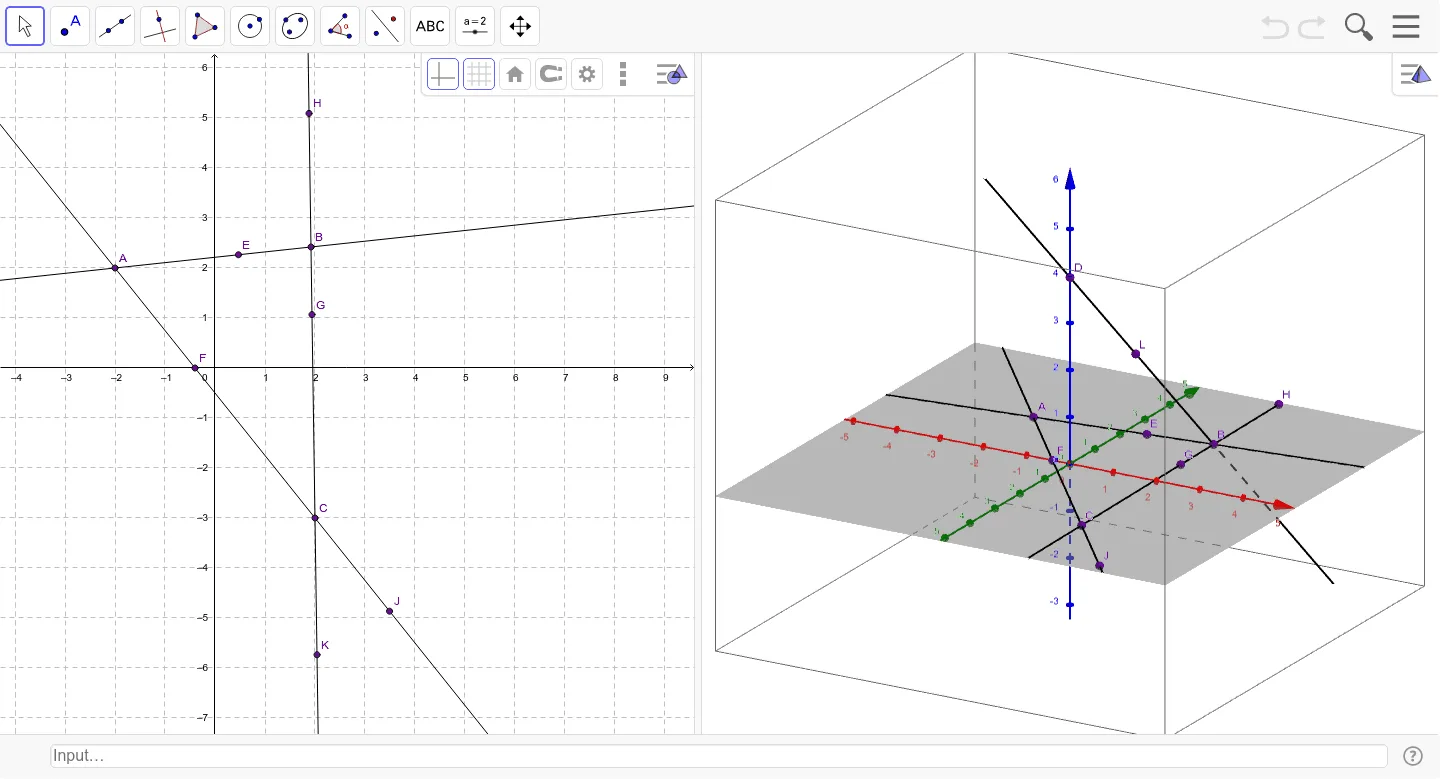
This applet demonstrates the basic concepts of points, lines, and planes through simple geometric constructions. Using GeoGebra commands such as Point, Line, and Intersect, students can visually understand the relationships between points, lines, and planes. Suitable for students in middle school and above to learn basic geometry.
GeoGebra Commands & Parameters
Point(zAxis) → DLine(D, B) → aLine(A, B) → bLine(C, A) → cLine(C, B) → dPoint(b) → EIntersect(c, xAxis) → FPoint(d) → GPoint(d) → HPoint(c) → JPoint(d) → KPoint(a) → L
AI Drawing Prompt Reference
In 3D space, start with a vertical axis and place a point on it. From this point, draw two lines to two existing points, then connect those two points with a third line, and connect one of them to the other to form a fourth line. Next, pick a point on the third line, and let the fourth line intersect the horizontal axis to get a point. Then, choose two points on the fourth line, one point on the third line, another point on the fourth line, and finally a point on the first line. The result shows basic relationships among points, lines, and planes for introductory geometry.
The prompt above was compiled from the original drawing commands and is for reference only.