
Point Outside a Line
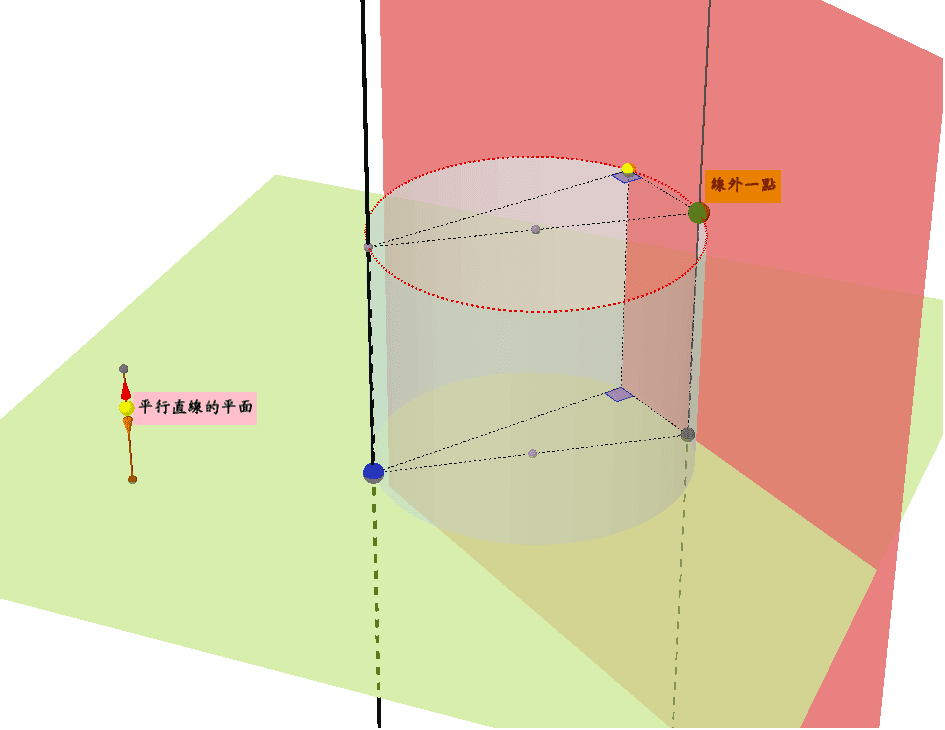
Loading the math board and drawing, please wait…
This example demonstrates the relationship between a point outside a line and a segment. Key mathematical concepts include points, segments, vectors, and geometric construction. It uses commands like PointIn, Segment, Vector, etc., in GeoGebra. Suitable for middle school and above students learning geometric construction.
GeoGebra Commands & Parameters
PointIn(xy) → APointIn(xy) → BPoint(Line[A, A + v]) → CPoint(Line[B, B + v]) → DSegment(A, C) → seg1Segment(B, D) → seg2Dots(A, C) → dotsADots(B, D) → dotsBLine(C, A) → lineLine(A, B) → line2Intersect(line, xy) → ESegment(A, B) → segABSegment(C, F) → segCFMidpoint(G, D) → HLine(H, H + v) → line3Circle(line3, D) → cPoint(c) → IPlane(D, I, D + v) → p2PointIn(xy) → JPoint(Ray[J, J + v]) → KSegment(J, K) → segJKPoint(segJK) → LAffineRatio(J, K, L) → ratioVector(L, L + (v * 2 / 3)) → uVector(L, L - (v * 2 / 3)) → wSegment(G, I) → segGISegment(I, D) → segIDSegment(A, M) → segAMSegment(M, B) → segMBSegment(I, M) → segIMSegment(G, D) → segGDAngle(G, I, D) → ang1Angle(A, M, B) → ang2Line(B, D) → lineBDQuadricSide(Cylinder[N, H, Radius[c]]) → cyl
AI Drawing Prompt Reference
Draw a line AB, then take points C and D outside the line, connect AC and BD, find the midpoint G of AB, draw a line GH parallel to CD through G, draw a circle with D as the center and GH as the radius, let the circle intersect the line at point I, draw a line through I parallel to CD, intersecting the extension of AB at point J, draw a ray JK from J, intersecting the extension of AB at point K, connect JK, find the midpoint L of JK, connect GI and ID, then connect AM and MB, finally connect IM and GD, measure the angles ∠GID and ∠AMB.
The prompt above was compiled from the original drawing commands and is for reference only.