
Play Chomp! Example
Loading the math board and drawing, please wait…
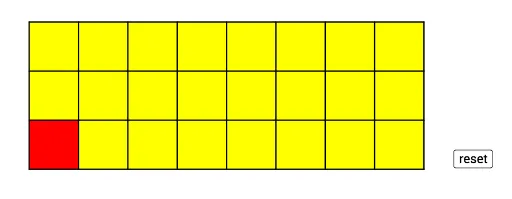
This example demonstrates a graphical implementation of the mathematical game Chomp!, integrating logic with geometry. Core math concepts include logical reasoning, circumcircle of a circle, real numbers, root calculations, tangent lines, and trigonometric functions. Construction highlights from the summary involve commands like Random, Intersect, Polygon, Point, and Sequence. Suitable for high school and above, focusing on geometric constructions and dynamic function graphs.
GeoGebra Commands & Parameters
Random(5, 10) → lRandom(3, 5) → tIntersect(xAxis, yAxis) → APolygon(A, B, 4) → p11, f, g, h, i, C, DPoint(xAxis) → EPolygon(B, E, 4) → p12, j, k, m, n, F, GPoint(xAxis) → HPolygon(E, H, 4) → p13, p, q, r, s, I, JPoint(xAxis) → KPolygon(H, K, 4) → p14, a, b, c, d, L, MPoint(xAxis) → NPolygon(K, N, 4) → p15, e, f_1, g_1, h_1, O, PPoint(xAxis) → QPolygon(N, Q, 4) → p16, i_1, j_1, k_1, l_1, R, SPoint(xAxis) → TPolygon(Q, T, 4) → p17, m_1, n_1, p_1, q_1, U, VPolygon(T, W, 4) → p18, r_1, s_1, t_1, a_1, Z, A_1Polygon(D, C, 4) → p21, b_1, c_1, d_1, e_1, B_1, C_1Polygon(C, F, 4) → p22, f_2, g_2, h_2, i_2, D_1, E_1Polygon(F, I, 4) → p23, j_2, k_2, l_2, m_2, F_1, G_1Polygon(I, L, 4) → p24, n_2, p_2, q_2, r_2, H_1, I_1Polygon(L, O, 4) → p25, s_2, t_2, a_2, b_2, J_1, K_1Polygon(O, R, 4) → p26, c_2, d_2, e_2, f_3, L_1, M_1Polygon(R, U, 4) → p27, g_3, h_3, i_3, j_3, N_1, O_1Polygon(U, Z, 4) → p28, k_3, l_3, m_3, n_3, P_1, Q_1Polygon(C_1, B_1, 4) → p31, p_3, q_3, r_3, s_3, R_1, S_1Polygon(B_1, D_1, 4) → p32, t_3, a_3, b_3, c_3, T_1, U_1Polygon(D_1, F_1, 4) → p33, d_3, e_3, f_4, g_4, V_1, W_1Polygon(F_1, H_1, 4) → p34, h_4, i_4, j_4, k_4, Z_1, A_2Polygon(H_1, J_1, 4) → p35, l_4, m_4, n_4, p_4, B_2, C_2Polygon(J_1, L_1, 4) → p36, q_4, r_4, s_4, t_4, D_2, E_2Polygon(L_1, N_1, 4) → p37, a_4, b_4, c_4, d_4, F_2, G_2Polygon(N_1, P_1, 4) → p38, e_4, f_5, g_5, h_5, H_2, I_2Sequence(Segment[(a, 0), (a, 3)], a, 0, 8) → L_2Sequence(Segment[(0, a), (8, a)], a, 0, 3) → L_3
AI Drawing Prompt Reference
Draw a grid of squares filled with different colors to represent a mathematical game. The grid consists of multiple layers of squares, with each layer increasing in number from bottom to top, alternating between 4 and 3 squares. The squares are interconnected by thin lines, creating a dynamic effect.
The prompt above was compiled from the original drawing commands and is for reference only.