
Planetary Motion on an Ellipse
Loading the math board and drawing, please wait…
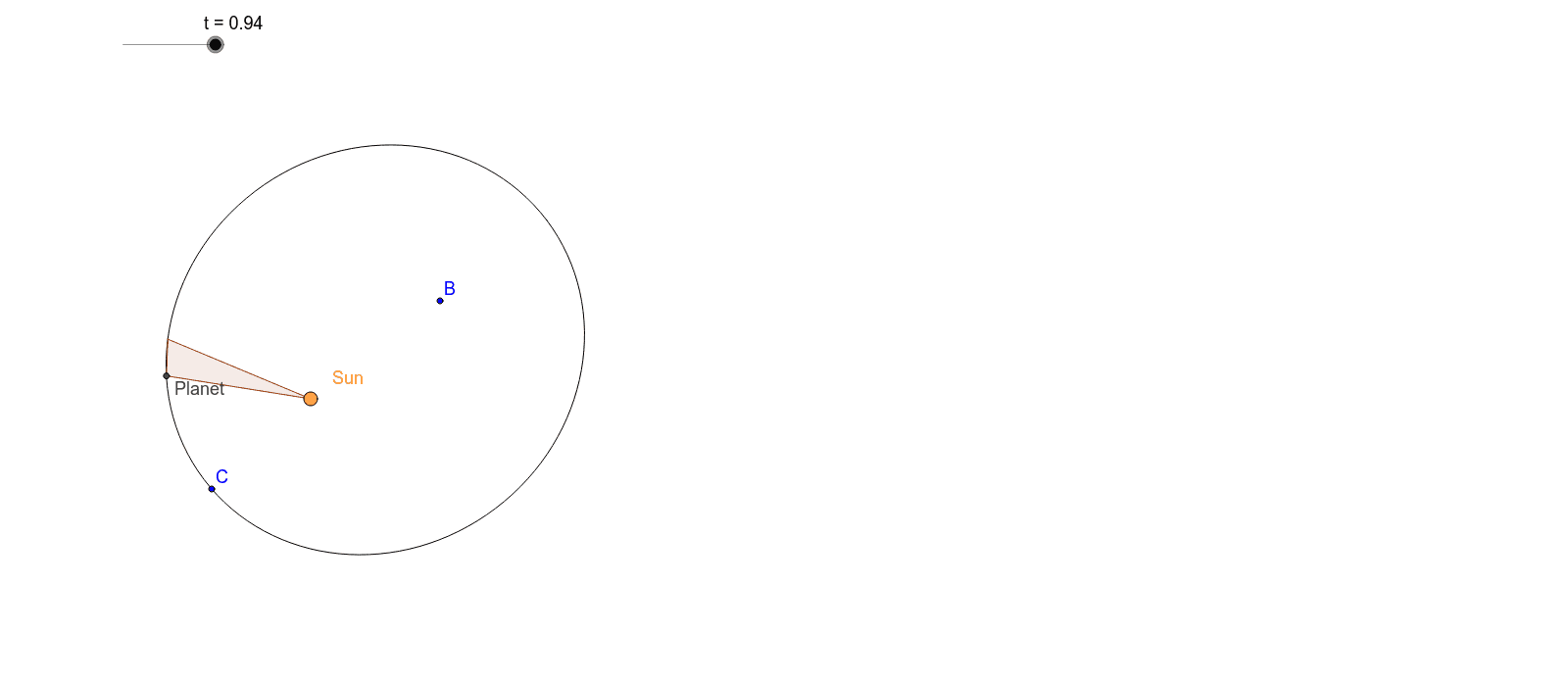
This example demonstrates the motion of a planet on a given elliptical orbit. Key mathematical concepts include ellipses, angles, rotation, and trajectories. Using GeoGebra commands such as Ellipse, Intersect, and Rotate, the motion of the planet can be dynamically shown. Suitable for high school and above students to learn about elliptical motion and geometric construction.
GeoGebra Commands & Parameters
Ellipse(Sun, B, C) → cEccentricity(c) → εIntersect(f, xAxis, (5.725052250360056, 7.72715225139109E-14)) → DCircle(Sun, 1) → dLine(Sun, B) → bIntersect(d, b, 1) → FRotate(F, a, Sun) → F'Angle(F, Sun, F') → αRay(Sun, F') → eIntersect(c, e, 1) → PlanetIntersect(f', xAxis, (5.5453588125126885, 1.382893799473095E-12)) → D'Rotate(F, a', Sun) → F''Ray(Sun, F'') → gIntersect(c, g, 1) → APolygon(Sun, A, Planet) → poly1, planet, sun, a_1
AI Drawing Prompt Reference
Draw an elliptical orbit and dynamically show a planet's motion on it. Start from the sun, draw a line to one focus of the ellipse, rotate this line around the focus, intersect it with the ellipse to get a point, then draw a ray from this point intersecting the ellipse at the planet, simulating its motion. Indicate the rotation angle and the planet's trajectory to form a dynamic illustration of elliptical motion and geometric transformation.
The prompt above was compiled from the original drawing commands and is for reference only.