
Plane and Power Function Interaction Demo
Loading the math board and drawing, please wait…
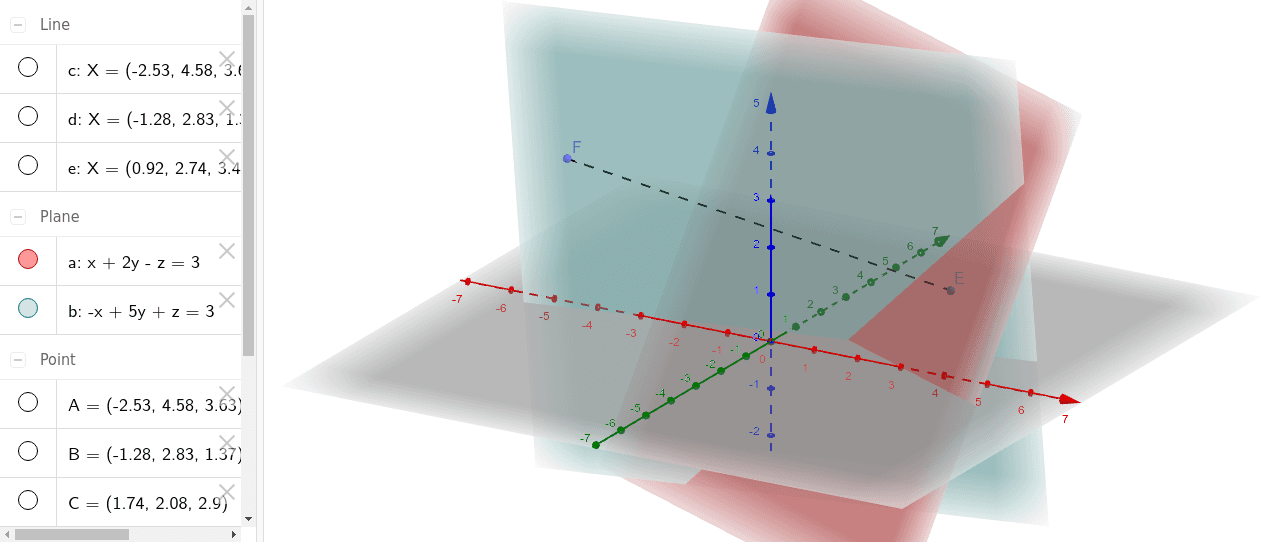
This example demonstrates the interaction between planes and power functions, involving core math concepts like plane equations, power function properties, random variables, LCM/GCD calculations, curve sketching, and pyramid geometry. Construction highlights include commands like PointIn, OrthogonalLine, Line, and Segment from GeoGebra, suitable for high school and above learners exploring spatial geometry and dynamic function-image relationships.
GeoGebra Commands & Parameters
PointIn(a) → AOrthogonalLine(A, a) → cPointIn(a) → BPointIn(a) → CLine(B, C) → dPointIn(a) → DOrthogonalLine(D, a) → ePointIn(b) → FSegment(E, F) → f
AI Drawing Prompt Reference
Draw a demonstration of the interaction between a plane and a power function, including a random point and its perpendicular intersection with a line, and two perpendicular lines intersecting the power function, then connect these points to form segments and triangles, showing the dynamic relationship between the power function and geometric shapes, suitable for high school and above learners exploring spatial geometry and function-image relationships.
The prompt above was compiled from the original drawing commands and is for reference only.