
Plane and Cube Intersection
Loading the math board and drawing, please wait…
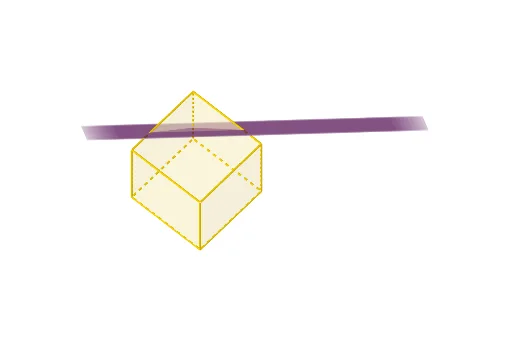
This example demonstrates the geometric shape formed by the intersection of a plane and a cube. Core math concepts include solid geometry, intersecting lines, and the relationship between faces and solids. Construction highlights involve using commands like Point, Cube, Plane to create the cube, plane, and intersection points, along with defining vertices, faces, and edges. Suitable for high school solid geometry teaching or geometric visualization learning.
GeoGebra Commands & Parameters
Point(xAxis) → APoint(zAxis) → BPoint(Circle[B, Distance[A, B], Segment[A, B]]) → CCube(A, B, C) → a, D, faceCDHG, faceEFGH, edgeAD, edgeAB, edgeBC, edgeCD, edgeAE, edgeDH, edgeEH, edgeEF, E, edgeBF, edgeFG, edgeCG, edgeGH, F, G, H, faceABCD, faceADHE, faceABFE, faceBCGFPoint(edgeAB) → IPoint(edgeDH) → KPoint(edgeFG) → LPlane(I, K, L) → bPlane(A, C, F) → c
AI Drawing Prompt Reference
Draw the intersection of a plane and a cube. First, create a cube. Then, create a plane passing through three edges of the cube. Finally, show the vertices, edges, and faces of the cube, as well as the intersection lines between the plane and the cube.
The prompt above was compiled from the original drawing commands and is for reference only.