
Pizza and Fractions
Loading the math board and drawing, please wait…
In collections
Jessica's Fraction Book
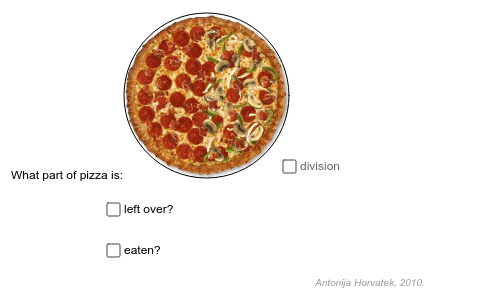
This example demonstrates how to use GeoGebra to calculate the fractions of pizza left over and eaten. Core math concepts include fraction calculation, geometric partitioning, and the application of random numbers. Construction highlights the use of commands and objects like Random, Point, Rotate, Midpoint, Circle, Segment, Sequence, CircleSector. Suitable for elementary or middle school levels to teach fraction and geometric partitioning concepts.
GeoGebra Commands & Parameters
Random(1, 360) → NekiBrojPoint(Ray[A, A + (1, 0)]) → BRotate(B, 90*°, A) → B'Midpoint(B', B) → CCircle(C, r) → cRotate(T, NekiKut, C) → PocetnaRandom(1, 10) → nazivnikRandom(1, nazivnik) → brojnikSegment(D, E) → bSequence(Segment[C, Rotate[Pocetna, i * 360 * ° / nazivnik, C]], i, 1, nazivnik) → PodjelaRandom(0, 360) → KutCircleSector(C, Pocetna, Rotate[Pocetna, (nazivnik - brojnik) * 360 * ° / nazivnik, C]) → DioSegment(F, G) → fGCD(brojnik, nazivnik) → NajvDjeliteljSegment(H, I) → hSegment(J, K) → i
AI Drawing Prompt Reference
Draw a circle to represent a pizza, randomly rotate and divide it into 10 slices, highlighting one portion with different colors to show eaten or remaining fractions, demonstrating fraction calculation and geometric partitioning, with a slider to control random rotation angles and slice counts, connecting key points with lines to form division segments, visually representing pizza partitioning and fraction concepts.
The prompt above was compiled from the original drawing commands and is for reference only.