
Perpendicular Lines Construction: Using Slope and Angle to Build Orthogonal Line
Loading the math board and drawing, please wait…
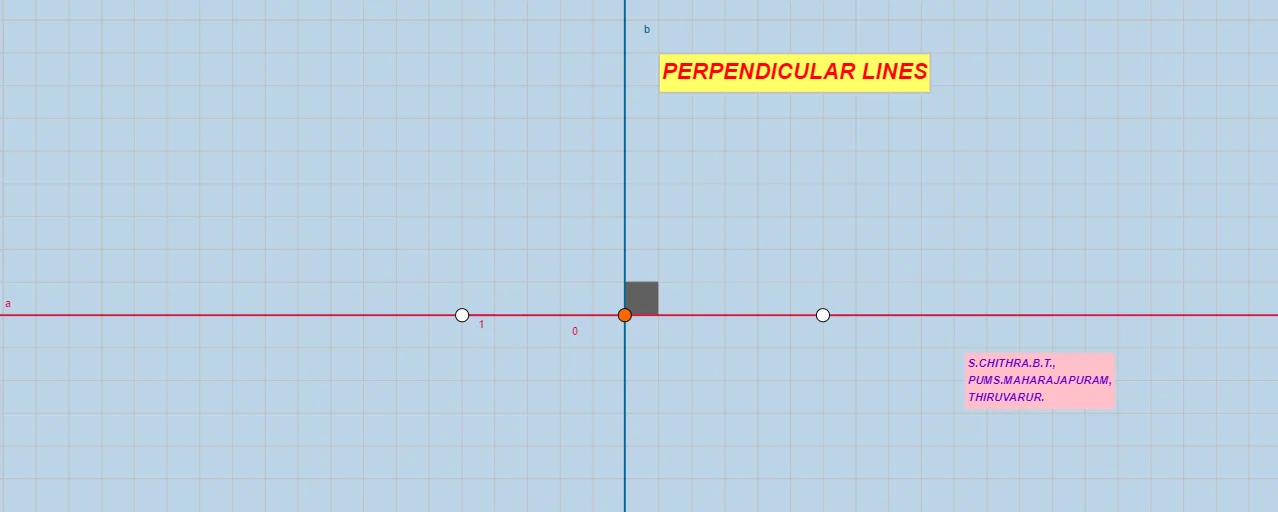
This example demonstrates how to construct a perpendicular (orthogonal) line in the plane using a given line and a point, and how to verify orthogonality through measured angles. The key mathematical ideas are perpendicular lines, line slope (Slope), constructing an orthogonal line through a point (OrthogonalLine), and angle measurement (Angle), with additional numeric labeling via FractionText. The construction proceeds by creating the base line(s) with the GeoGebra commands Line and Point, computing slope information using Slope, then drawing the perpendicular through the specified point using OrthogonalLine. An Angle object is used to display/confirm the right-angle relationship, while FractionText helps annotate important values in fractional form. The construction involves geometric objects such as A, B, a, a_1, C, b, D, α, E, F, and multiple text objects (e.g., text1/text2/text3/text5/text6/text7) to present the reasoning clearly. Suitable for middle-school geometry lessons on lines and angles, geometry construction practice, and interactive classroom demonstrations.
GeoGebra Commands & Parameters
Line(A, B) → aSlope(a) → a_1Point(a) → COrthogonalLine(C, a) → bPoint(b) → DAngle(B, C, D) → αPoint(b) → EPoint(b) → FSlope(b) → mFractionText(a_1) → text2FractionText(m) → text3Line(A_1, B_1) → a_2Slope(a_2) → a_3Point(a_2) → C_1FractionText(a_3) → text2_1
AI Drawing Prompt Reference
Draw a line AB, then take a point C on it, calculate the slope of AB, construct a line b perpendicular to AB through point C, and take two points D and E on b. Measure angle BCD to confirm it is a right angle, and label the fractional forms of slopes a_1 and m.
The prompt above was compiled from the original drawing commands and is for reference only.