
Perimeter Example of a Quadrilateral
Loading the math board and drawing, please wait…
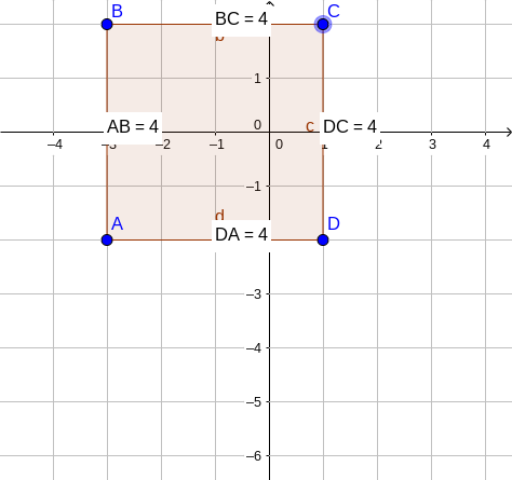
①This example demonstrates how to construct an arbitrary quadrilateral in GeoGebra and dynamically display the lengths of its four sides and the total perimeter. ②The core mathematical concept is perimeter calculation in plane geometry, involving polygons, segment length measurement, and real-time text label updates. ③Construction highlights: use the Polygon command to create quadrilateral poly1, the Distance command to compute side lengths AB, BC, CD, DA (objects a, b, c, d and distanceAB, etc.), the Midpoint command to construct midpoints (possibly for auxiliary display), and the Text command to generate labels showing each side length and the total perimeter (TextAB, TextBC, etc.). ④Suitable for middle school geometry lessons or upper elementary perimeter introduction, as well as GeoGebra beginners to intuitively understand the relationship between polygon perimeter and the sum of side lengths.
GeoGebra Commands & Parameters
Polygon(A, B, C, D) → poly1, a, b, c, dDistance(B, C) → distanceBCMidpoint(B, C) →Distance(D, C) → distanceDCMidpoint(D, C) →Distance(D, A) → distanceDAMidpoint(D, A) →Distance(A, B) → distanceABMidpoint(A, B) →