
Perimeter Calculation and Geometric Construction
Loading the math board and drawing, please wait…
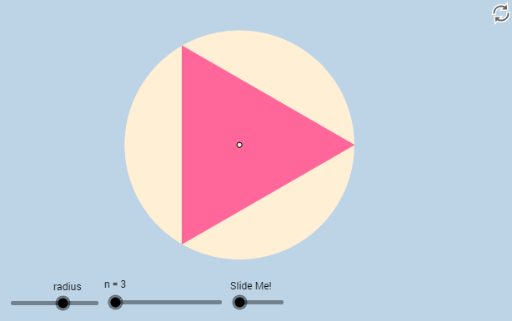
This example demonstrates how to construct and calculate the perimeter of polygons using GeoGebra, with a focus on circle geometry and parametric equations. Key math concepts include perimeter calculation, coordinate geometry, parametric equations, and sequence generation. The construction utilizes GeoGebra commands like Sequence, Polygon, and Center, with sliders for dynamic parameter adjustment. Suitable for high school and above learners to understand the application of parametric equations in geometric problems and dynamic demonstrations.
GeoGebra Commands & Parameters
Sequence(((r * cos(((2 * π) * i / n))), (r * sin(((2 * π) * i / n)))), i, 0, n, 1) → list1Polygon(Element[list1, 1], Element[list1, 2], n) → poly1Center(c) → ASequence(CircleArc[A, Element[list1, i], Element[list1, i + 1]], i, 1, n, 1) → list2Sequence(Dilate[A, If[0 < a ≤ 1, 1 - a, 0], Element[list1, i]], i, 1, n, 1) → list3Sequence(Segment[A, Element[list3, i]], i, 1, n, 1) → list4
AI Drawing Prompt Reference
Draw a regular n-sided polygon inscribed in a circle with radius r and calculate its perimeter. First, generate a list of coordinates for n points on the circle's circumference, then construct the regular n-sided polygon using these points. Next, find the center point A of the polygon and draw circular arcs from A to each vertex. Finally, scale point A along each arc direction and connect the scaled points to form a new polygon.
The prompt above was compiled from the original drawing commands and is for reference only.