
Perimeter and Area
Loading the math board and drawing, please wait…
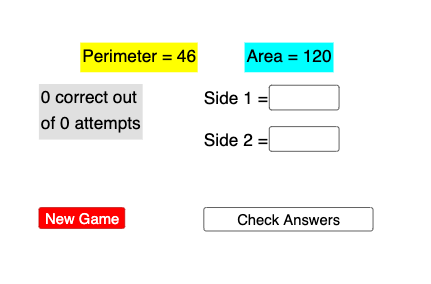
This example demonstrates how to dynamically calculate and visualize the perimeter and area of geometric shapes using GeoGebra. It involves core mathematical concepts such as perimeter, area, fractal geometry, probability & statistics, random experiments, equilateral triangles, and parametric curves. The construction utilizes GeoGebra commands like Textfield, Random, Text, InputBox, pause, pauseslider, check, button, newbutton, A, B, pic1. It is suitable for high school mathematics education, illustrating geometric calculations and dynamic geometric constructions to help students understand methods for calculating perimeter and area, as well as the visual representation of fractal geometry.
GeoGebra Commands & Parameters
Textfield(n11) → InputBox1Textfield(n22) → InputBox2Random(1, 20) → n1Random(1, 20) → n2Text("Area = " + p + "") → ptextText("Perimeter = " + s + "") → stext
AI Drawing Prompt Reference
Draw a random geometric shape, such as a triangle, rectangle, or circle. Input two numbers to represent the side length or radius of the shape, and dynamically calculate and display the area and perimeter. Use random numbers to generate two numbers, then create the shape based on these numbers. Calculate the area and perimeter, and show the results on the screen.
The prompt above was compiled from the original drawing commands and is for reference only.