
Perimeter Algebra Problems
Loading the math board and drawing, please wait…
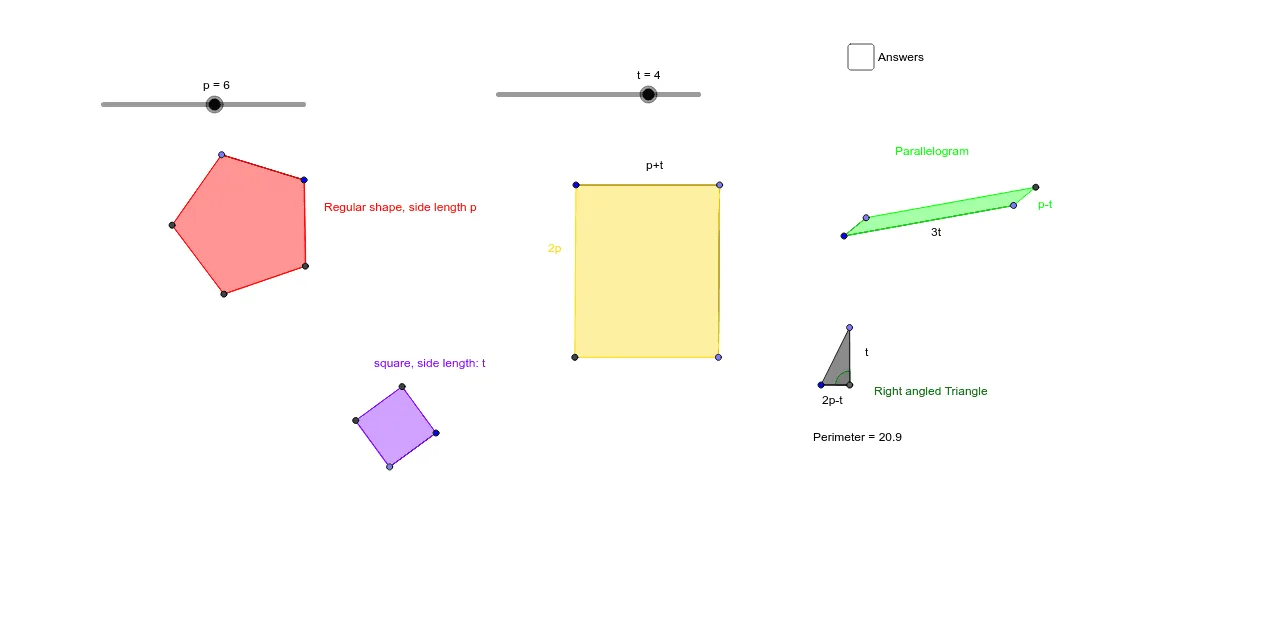
This example demonstrates calculating the perimeter of various geometric shapes using algebra and 2D vectors. Key math concepts include perimeter calculation, algebraic applications, and coordinate geometry. GeoGebra commands used are Point, Segment, Polygon, Line, Intersect, and Angle. Suitable for middle school students and beyond, or as a resource for math competition preparation.
GeoGebra Commands & Parameters
Point(Circle[A, abs(p)]) → BSegment(A, B) → aPolygon(A, B, 5) → poly1, b, c, d, e, f, C, D, EPoint(Circle[F, abs(t)]) → GSegment(F, G) → gPolygon(G, F, 4) → poly2, h, i, j, k, H, IPoint(Circle[J, abs(t + p)]) → KSegment(J, K) → lPoint(Circle[K, abs((2 * p))]) → LSegment(K, L) → mLine(L, l) → nLine(J, m) → qIntersect(q, n) → MPolygon(J, K, L, M) → poly3, j_1, k_1, l_1, m_1Point(Circle[N, abs(p - t)]) → OSegment(N, O) → rPoint(Circle[N, abs((3 * t))]) → PSegment(N, P) → sLine(P, r) → a_1Line(O, s) → b_1Intersect(b_1, a_1) → QPolygon(O, Q, P, N) → poly4, o, q_1, p_1, n_1Point(Circle[R, abs((2 * t) - p)]) → SSegment(R, S) → c_1Point(Circle[S, abs(t)]) → TSegment(S, T) → d_1Polygon(R, S, T) → poly5, t_1, r_1, s_1Angle(T, S, R) → α
AI Drawing Prompt Reference
Draw a complex geometric figure consisting of a square, a triangle, and a circle. Connect the vertices of the square to the vertices of the triangle, then to the center of the circle. Ensure that angles and distances remain consistent.
The prompt above was compiled from the original drawing commands and is for reference only.