
Percentage Decrease: Less than 100%
Loading the math board and drawing, please wait…
In collections
Prozentrechnung: Vermehrung und Verminderung
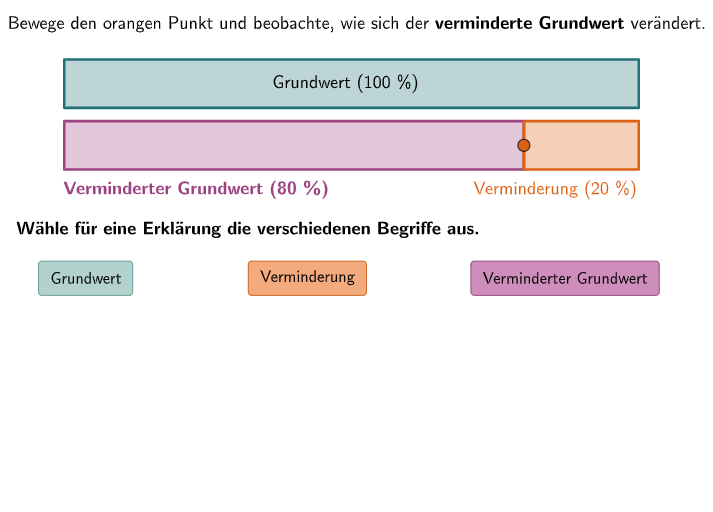
This example demonstrates the concept of percentage decrease, particularly when the decrease is less than 100%. It involves core mathematical concepts such as percentage calculation and proportional relationships. Using GeoGebra commands like Sequence, Textfield, and Point, it dynamically shows the decreased value. Suitable for 7-8th grade students to learn and practice percentage calculations.
GeoGebra Commands & Parameters
Sequence(O1 + (0, height / 2) + (m * (sizeall / 20, 0)), m, 2, 19) → l1Sequence(true, m, 1, maxstep) → listfixedTextfield(input1) → Eingabefeld1Textfield(input2) → Eingabefeld2Point(l1) → PPoint(Line[O1, yAxis]) → Q1
AI Drawing Prompt Reference
Create a dynamic mathematical illustration demonstrating percentage decrease of less than 100%. In a coordinate plane, start from a reference point O1 near the origin and create a horizontal sequence of points with equal horizontal spacing, comprising 18 points from the 2nd to the 19th point, positioned at the vertical midpoint of the sequence. Include two interactive text input fields for users to enter the original value and the percentage decrease. Place a movable point on the sequence to show the decreased value result, and another auxiliary point on a vertical line through the starting point to illustrate the geometric relationship of percentage change. The entire diagram updates dynamically based on user input, demonstrating the complete process from the original value down to the target value, embodying the mathematical concepts of percentage calculation and proportional relationships.
The prompt above was compiled from the original drawing commands and is for reference only.