
Peasant Multiplication: Interactive Visualization of an Ancient Algorithm
Loading the math board and drawing, please wait…
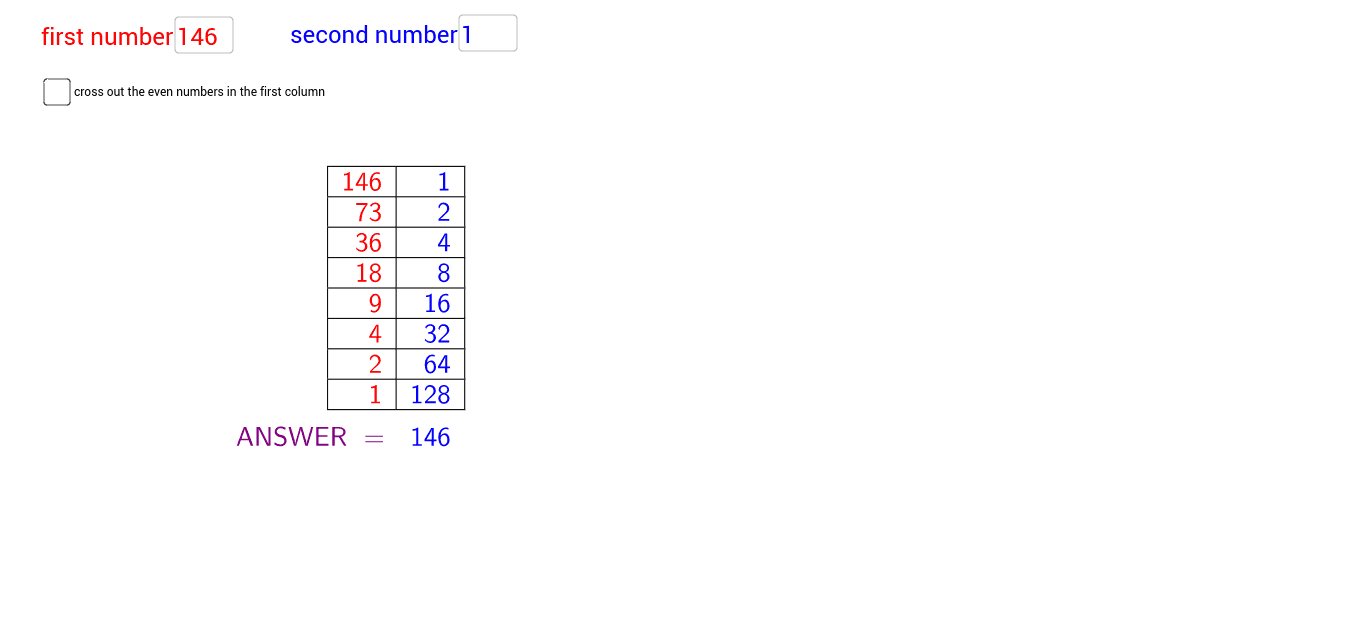
① This GeoGebra example interactively demonstrates the complete calculation process of 'peasant multiplication' (also known as Russian or Egyptian multiplication), turning the abstract binary decomposition and accumulation operations into a visual table and step-by-step display. ② Core mathematical concepts include integer multiplication, binary decomposition (repeatedly dividing the multiplier by 2 and recording remainders), parity checking, cumulative summation, and the underlying principle that any integer can be expressed as a sum of powers of 2. ③ Construction highlights: using GeoGebra commands such as Textfield (input boxes for two integers a and b), Mod (to check parity), CountIf and Sequence (to generate iterative sequences), TableText (to build the step table), and the crossout object to mark eliminated rows; the ANSWER object outputs the final product. The construction involves multiple point and text objects (A1-A14, B1-B14) and auxiliary objects (C1-D3) to create a fully interactive algorithmic demonstration. ④ Suitable for upper elementary to middle school students learning multiplication principles and algorithmic thinking, as well as for mathematics history lessons or introductory programming, helping to understand binary representation and algorithm optimization.
GeoGebra Commands & Parameters
Textfield(a) → InputBox1Textfield(b) → InputBox2Mod(round(abs(a)), 10000) → A1Mod(round(abs(b)), 10000) → B1CountIf(n > 0, n, A1:A14) → stepsSequence(If[crossout ≟ true, If[Mod[Element[A1:A14, k], 2] ≟ 1, Text[Element[C1:C14, k], true], Text[Element[D1:D14, k], true]], Text[Element[C1:C14, k], true]], k, 1, steps) → list1Sequence(If[crossout ≟ true, If[Mod[Element[A1:A14, k], 2] ≟ 1, Text[Element[E1:E14, k], true], Text[Element[F1:F14, k], true]], Text[Element[E1:E14, k], true]], k, 1, steps) → list2TableText({list1, list2}, "vr|_") → text2