
Parts of a Circle by Kim Kelly
Loading the math board and drawing, please wait…
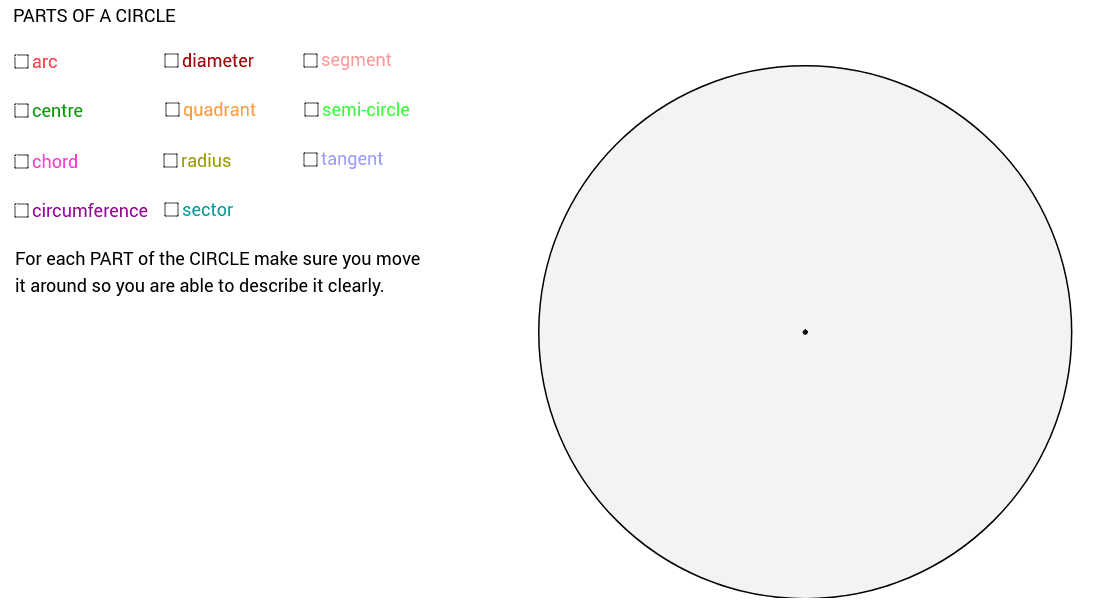
This example demonstrates various parts of a circle, including chords, diameters, radii, and the center. Key mathematical concepts include basic properties of circles and geometric constructions. Using GeoGebra commands such as Circle, Point, Segment, Midpoint, etc., the construction process is dynamically shown. Suitable for classroom demonstration or individual student investigation.
GeoGebra Commands & Parameters
Circle(A, C) → circlePoint(circle) → UPoint(circle) → TCircleArc(A, T, U) → dSegment(T, U) → segCHORDMidpoint(segCHORD) → ZOrthogonalLine(Z, segCHORD) → d_2Point(circle) → DSegment(A, D) → RADIUSPoint(circle) → ERay(E, A) → aIntersect(circle, a) → F, GSegment(E, G) → DIAMETERCircle(A, E) → circumferencePoint(circle) → HPoint(circle) → ICircleSector(A, H, I) → sectorPoint(circle) → JRay(J, A) → bIntersect(circle, b) → K, LSegment(J, L) → semiCIRCLEdiaSemicircle(J, L) → semicirclePoint(circle) → MSegment(A, M) → quadR_1OrthogonalLine(A, quadR_1) → eIntersect(circle, e) → N, OSegment(O, A) → quadR_2CircleSector(A, M, O) → quadrantAngle(M, A, O) → αPoint(circle) → PPoint(circle) → QCircleArc(A, P, Q) → arcPoint(circle) → RPoint(circle) → SSegment(R, S) → CHORDTangent(tangentPOINT, circle) → tangent, gRay(Z, A) → cIntersect(d, d_2) → A_2,Midpoint(A_2, U) → A_1Midpoint(A_2, T) → B_1Midpoint(T, B_1) → C_1Midpoint(B_1, A_2) → D_1Midpoint(A_2, A_1) → E_1Midpoint(A_1, U) → F_1Midpoint(U, F_1) → G_1Midpoint(F_1, A_1) → H_1Midpoint(A_1, E_1) → I_1Midpoint(E_1, A_2) → J_1Midpoint(A_2, D_1) → K_1Midpoint(D_1, B_1) → L_1Midpoint(B_1, C_1) → M_1Midpoint(C_1, T) → N_1Ray(Z, N_1) → fRay(Z, C_1) → hRay(Z, M_1) → iRay(Z, B_1) → jRay(Z, L_1) → kRay(Z, D_1) → lRay(Z, K_1) → mRay(Z, J_1) → nRay(Z, E_1) → pRay(Z, I_1) → qRay(Z, A_1) → rRay(Z, H_1) → sRay(Z, F_1) → tRay(Z, G_1) → a_1Midpoint(T, N_1) → O_1Midpoint(N_1, C_1) → P_1Midpoint(U, G_1) → Q_1Midpoint(G_1, F_1) → R_1Ray(Z, O_1) → b_1Ray(Z, P_1) → c_1Ray(Z, R_1) → d_1Ray(Z, Q_1) → e_1Intersect(d, b_1) → S_1,Intersect(d, f) → T_1,Intersect(d, c_1) → U_1,Intersect(d, h) → V_1,Intersect(d, i) → W_1,Intersect(d, j) → Z_1,Intersect(d, k) → B_2,Intersect(d, l) → C_2,Intersect(d, m) → D_2,Intersect(d, n) → E_2,Intersect(d, p) → F_2,Intersect(d, q) → G_2,Intersect(d, r) → H_2,Intersect(d, s) → I_2,Intersect(d, t) → J_2,Intersect(d, d_1) → K_2,Intersect(d, a_1) → L_2,Intersect(d, e_1) → M_2,Polygon(U, M_2, A_2, D_2, C_2, B_2, Z_1, W_1, V_1, U_1, T_1, S_1, L_2, T, K_2, J_2, I_2, H_2, G_2, F_2, E_2) → poly1, u, e_2, a_2, d_3, c_2, b_2, z_1, w_1, v_1, u_1, t_1, m_2, s_1, t_2, l_2, k_2, j_2, i_2, h_2, g_2, f_2
AI Drawing Prompt Reference
Draw a circle and label its center, radius, and diameter. Draw a chord on the circle, find its midpoint, and draw a line perpendicular to the chord that intersects the circle at two points. Connect the center of the circle to these two points to form two congruent right triangles. Draw another line through the center of the circle that intersects the circle at two points, forming a diameter. Draw an arc on the circle and label its endpoints. Finally, draw a sector using the center of the circle and the endpoints of the arc.
The prompt above was compiled from the original drawing commands and is for reference only.