
Parametrized Parallelogram Model
Loading the math board and drawing, please wait…
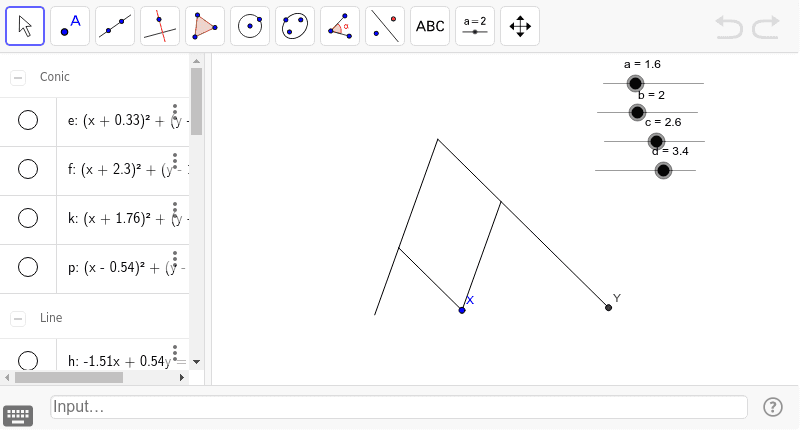
This example demonstrates a parallelogram model parametrized by sliders, illustrating geometric construction and transformation concepts. It involves core math ideas like parallelograms, midpoints, and mirroring. The construction uses commands like Circle, Intersect, Segment, Line, Midpoint, and Mirror in GeoGebra. Suitable for middle school students and above to learn about geometric transformations and parametric equations.
GeoGebra Commands & Parameters
Circle(X, b) → eCircle(B, a) → fIntersect(e, f, 2) → DSegment(B, D) → gLine(B, D) → hCircle(D, c) → kIntersect(k, h, 2) → EMidpoint(X, E) → FMirror(D, F) → D'Line(E, D') → iCircle(D', d) → pIntersect(p, i, 2) → YSegment(D, X) → jSegment(D, E) → lSegment(E, D') → mSegment(D', Y) → nSegment(X, D') → q
AI Drawing Prompt Reference
Draw a parallelogram model parametrized by two sliders to demonstrate geometric construction and transformation concepts. Start by drawing two circles with one point as the center and two slider values as radii, find their intersections. Connect these intersections and one center to form a line segment and line. Draw a circle with the other intersection as the center and a third slider value as the radius, find its intersections with the line. Connect these intersections to the first center, find the midpoint, and reflect the other intersection across this midpoint. Connect the reflected point to the intersections to complete the parallelogram's sides.
The prompt above was compiled from the original drawing commands and is for reference only.